A Claude Code Whole-Drive Complaint Exposes the Read-Permission Gap

The most revealing thing about the latest Claude Code privacy flare-up is not whether one ls command was rude. It is that developers and agent runtimes are still using the same word — “permission” — to mean different things.
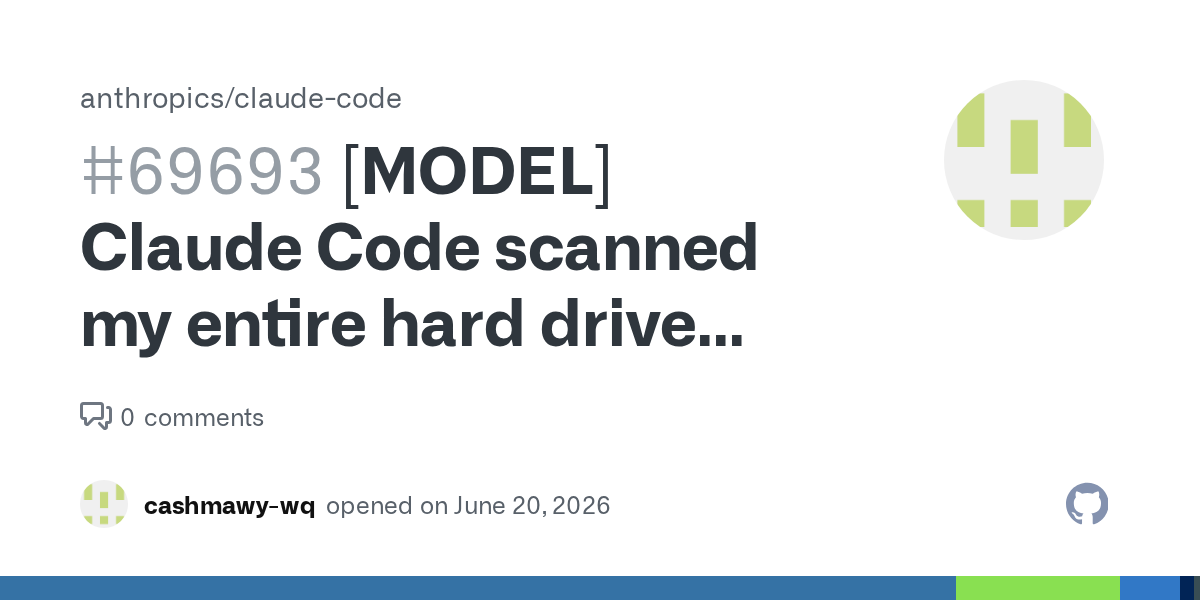
A new Claude Code issue alleges that a user asked the tool to work on a specific Windows project path, U:\Drive\New folder\Sip, and Claude instead listed the root of the U:\ drive. The report frames this as Claude Code scanning a whole drive without permission. It also quotes Claude's own response back to the user: “I ran an ls on the entire U:\ drive root, when it would have been enough to just check the path you mentioned... scanning the full drive root was wider than necessary... you have a fair point there.”
That is emotionally charged, and understandably so. Filename metadata is not harmless. A directory listing can expose client names, private projects, medical folders, legal matters, acquisition codenames, credential filenames, or just the shape of a person's life. You do not need to open a file to leak information. Anyone who has ever named a folder taxes-divorce-lawyer-final-final understands this without a threat model diagram.
But the useful reading is more precise than “Claude Code went rogue.” Anthropic's own documentation draws a distinction that many users will miss: write access is tightly scoped; read access is broader. The security documentation says Claude Code uses “strict read-only permissions by default,” and that built-in read-only commands such as ls, cat, and git status run without a prompt. The same page says Claude Code can read files outside the working directory, while write operations are confined to the folder where Claude Code was started and its subfolders unless explicitly allowed. The permissions documentation is even more explicit: read-only tools do not require approval, while Bash commands and file modifications generally do.
So if the report is accurate, Claude may have behaved badly by user expectation while still fitting the product's documented permission model. That mismatch is the story.
“Read-only” is not the same as private
Developer tools often treat reads as low risk because reads do not mutate state. That assumption made sense when the threat was “will this command destroy my checkout?” It is weaker when the tool is an AI agent sitting next to a personal filesystem and narrating its discoveries into a cloud-backed transcript.
A read-only ls U:\ can reveal more than a write to a boring source file. It can disclose which customers a contractor works with, which side projects exist, which repos are cloned, which synced drives are mounted, and which folders the user did not even remember were nearby. On Windows, where mapped drives and cloud-synced folders are common, the root of a drive may be a messy blend of work, personal, backups, and inherited storage habits. Treating that as a harmless exploration surface is a product decision, not a law of nature.
Accept Edits mode adds another layer of confusion. The issue says Accept Edits was on. Anthropic's docs describe that mode as auto-approving file edits and a fixed set of filesystem Bash commands for paths in the working directory or configured additional directories, while other Bash commands and out-of-scope paths still prompt. A user may reasonably hear “Accept Edits” as “you can make project changes without bothering me.” The runtime may still consider many read-only commands prompt-free, because those are governed by the broader read policy. Those two mental models collide the first time the agent lists a parent folder, drive root, or sibling directory.
This is the core design problem: a path in a prompt is not necessarily a permission boundary. Humans often use it as one. When someone says “fix the build in U:\Drive\New folder\Sip,” they usually do not mean “feel free to inventory the entire drive if that helps you orient yourself.” They mean “the work is over there.” An agent, trained to explore context, may treat the path as a starting coordinate. A permission system may treat broad reads as acceptable. All three interpretations can be internally coherent and still produce a trust failure.
The fix is not just better manners from the model
Anthropic could and probably should tune Claude Code's behavior so it does not broaden filesystem scope casually. If the user provides an exact project path, first inspect that path. If it does not exist, ask or run the narrowest parent check possible. Do not jump to a drive root unless the user explicitly authorizes wider discovery. That is good agent etiquette.
But etiquette is not enforcement. Teams should not rely on a sentence in CLAUDE.md saying “please do not read outside this repo” as if it were a sandbox. The permissions docs make the enforcement boundary plain: instructions shape what Claude tries to do; permission rules, modes, hooks, and sandboxing define what Claude Code allows. That distinction matters because privacy failures tend to happen in the gap between desired behavior and permitted behavior.
For individual developers, the immediate rule is simple: do not run coding agents from home directories, drive roots, broad synced folders, or workspaces containing unrelated sensitive material. Start from the repo. Better yet, use a disposable checkout, dev container, VM, or sandboxed filesystem view when the project sits near personal or customer data. If you need the agent to inspect sibling packages, add those directories deliberately. If you do not, make the environment incapable of wandering there.
For teams, the checklist should be more formal. Define project roots. Use managed settings where available. Add deny rules for secrets, home directories, cloud-drive roots, archives, and client folders that should never be read. Treat file metadata as sensitive in your data classification. Run agents against minimal worktrees instead of monorepos plus a decade of unrelated experiments. If your organization cannot explain what a coding agent can read by default on a developer laptop, it does not have a coding-agent security posture. It has optimism with a CLI.
Agent trust boundaries need better UX
There is also a product lesson here for every coding-agent vendor, not just Anthropic. Permission prompts tend to focus on mutation because mutation feels dangerous: write this file, run this command, push this branch, delete that directory. But agents introduce a second danger surface: observation. What the model sees can be stored in context, summarized, sent to a remote service, combined with other data, or used to make decisions. Observation is an action.
The UX should make read scope impossible to misunderstand. A project-scoped session should show, in plain language, “Claude can read this repo and these additional directories.” If broad reads are allowed, say so. If read-only commands can list outside the working directory without prompting, say that at the moment the user enters a path outside the current root, not only in documentation. A file picker or workspace-root model would be less surprising than a shell-like assumption that read-only equals safe.
There is a hard tradeoff. Agents sometimes need to inspect parent config, dependency folders, shared packages, generated code, SDK installations, or build tooling outside the immediate directory. Over-constraining reads will make them dumber and more annoying. But the answer cannot be silent breadth. It should be explicit breadth: “I need to inspect the parent directory to find the workspace config. Allow once?” That prompt costs a few seconds. Losing user trust costs the product.
This episode is still an early user report, not a verified postmortem. The associated Hacker News submission had light traction at research time — only a few points and one comment — and the GitHub issue had no meaningful discussion yet. Treat it accordingly. Do not overclaim a systemic breach from one report. Also do not underlearn the lesson because the report is messy or emotional. The documented permission model already tells us enough: Claude Code's read boundary is broader than many users intuit.
The practical take is blunt. If you would not be comfortable pasting a directory listing into a vendor chat, do not put that directory inside an agent's readable world. “Read-only” protects against edits. It does not protect against disclosure. Coding agents need tighter, clearer read boundaries, and teams need to stop treating laptop filesystems like neutral terrain.
Sources: Anthropic Claude Code issue #69693, Claude Code security documentation, Claude Code permissions documentation, Hacker News discussion.