GitHub Is Turning Copilot CLI Into an Asynchronous Agent Control Surface

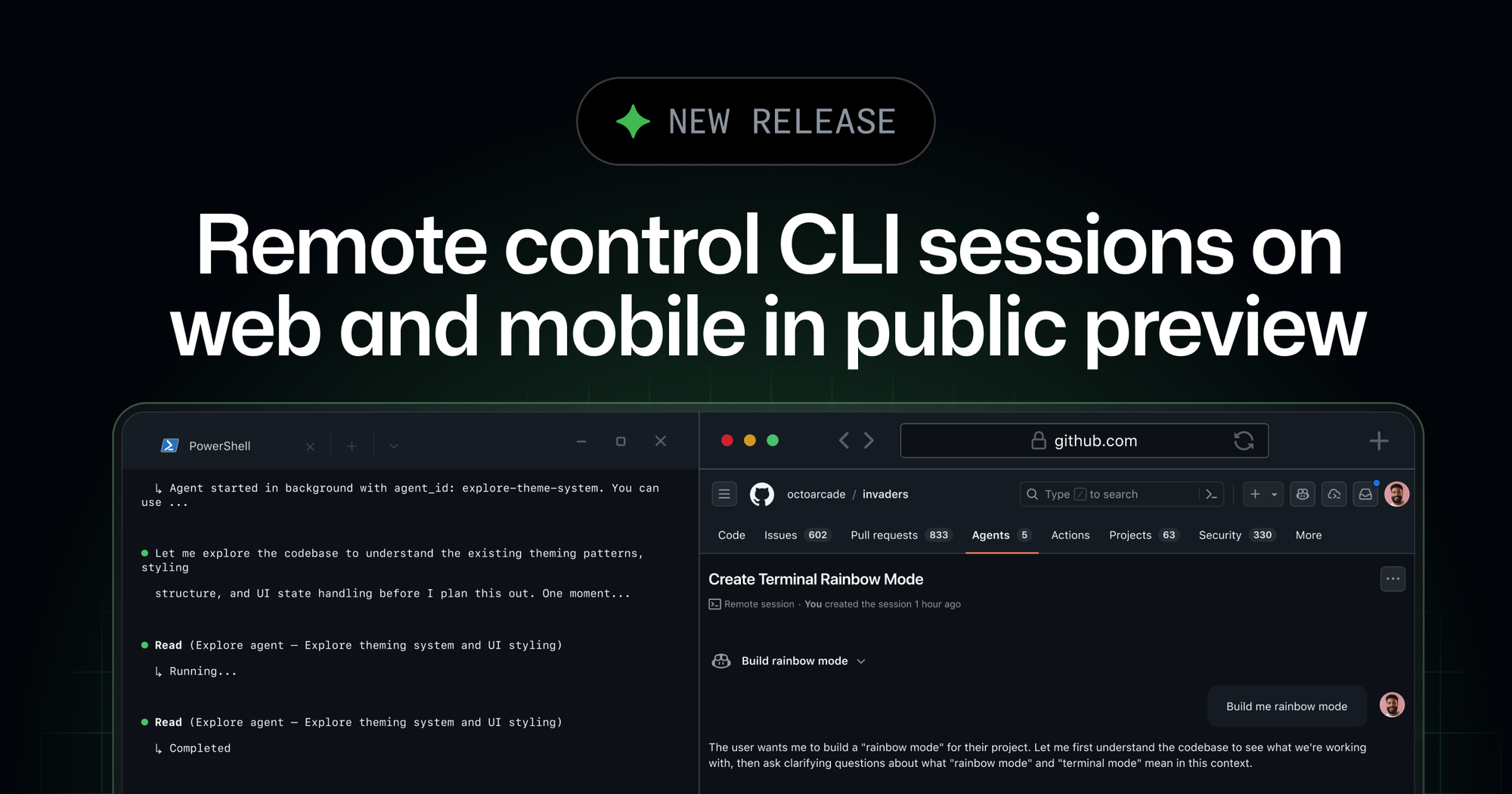
GitHub’s newest Copilot CLI update looks small if you read it like a changelog and larger if you read it like strategy. copilot --remote is not just a convenience flag. It is GitHub making a direct claim about what terminal agents are supposed to be: not chatbots you babysit in one shell window, but long-running workers you can supervise from wherever you happen to be.
That distinction matters because the biggest UX problem in AI coding right now is not code generation quality. It is session fragility. These tools are impressive when you are sitting at your keyboard watching them think. They get awkward the moment you need to step away, close the laptop lid, catch a train, or simply move from “actively typing” to “occasionally approving.” GitHub is trying to close that gap by letting developers monitor and steer a live CLI session from GitHub.com or the beta GitHub Mobile app while execution stays on the original machine.
The mechanics are straightforward. GitHub says remote access is now in public preview, available from the web and the mobile betas on iOS TestFlight and Google Play. When a developer starts Copilot CLI with --remote, or enables remote access from an existing interactive session, the tool streams session activity to GitHub in real time. From there, the developer can inspect output, send follow-up prompts, approve or deny permissions, answer ask_user questions, switch between plan, interactive, and autopilot modes, or stop the current operation entirely.
The important architectural detail is what does not happen. GitHub’s docs go out of their way to say the shell commands, file operations, and tool executions still run on the local machine. The remote interface is a control plane, not a hosted execution environment. Session events go up to GitHub, remote commands get polled back into the local session, and the actual work remains local. That is a careful compromise between convenience and control, and GitHub clearly knows enterprises will inspect that boundary hard.
The terminal is becoming asynchronous infrastructure
This is the deeper story. For years, terminal tooling assumed a developer was physically present. Even when it automated something, the loop was synchronous: run command, wait, inspect output, react. AI agents break that assumption because they can hold state, ask follow-up questions, request permissions, and continue working for long stretches. Once that happens, the terminal stops behaving like a mere interface and starts behaving like a job runner with human checkpoints.
GitHub’s remote-control layer is an acknowledgment that this is where the market is going. If a coding agent is useful enough to run for 20 minutes, 40 minutes, or two hours, then the product either needs a better way to supervise it asynchronously or it becomes a desk-bound curiosity. The remote features target exactly that transition point. Mid-session steering means you do not need to wait for a task to finish before nudging it back on course. Plan approval from the web means “agent mode” can be interruptible without being abandoned. Permission approvals from a phone mean security prompts do not automatically translate into dead time.
That makes Copilot CLI feel less like a glorified prompt box and more like a build system crossed with an operator console. That is a real step up.
GitHub is threading a tricky trust needle
The catch is obvious. Last week GitHub was talking about BYOK, local models, and offline mode, all of which pushed Copilot CLI toward compliance, local control, and reduced vendor dependence. This week it is encouraging developers to stream live session metadata back to GitHub so they can supervise sessions remotely. Those two moves are not contradictory, but they do expose the tension shaping this whole category.
Developers want local agents because local agents feel controllable. Enterprises want local agents because data boundaries and policy boundaries are easier to reason about when execution stays inside their environment. But developers also want the ergonomic benefits of cloud products: remote supervision, session history, mobility, and a persistent control surface. You cannot get all of that without sending something back to the vendor.
GitHub’s answer, on paper, is fairly sane. Remote access is limited to the same authenticated user who started the session. Organization-backed users need admins to enable the Remote Control policy, which is off by default. Sessions only work for interactive runs in Git repositories hosted on GitHub.com. There is also a 60 MB limit on session output passed to the remote interface, which is the kind of boring constraint that tells you this feature was built by people who have already hit the ugly scaling cases.
Still, the buyer questions write themselves. What session data is retained server-side, and for how long? How should regulated teams classify conversation content or tool-event metadata? What happens when a local-first workflow slowly accumulates enough remote affordances that it is no longer meaningfully “local” in procurement conversations? GitHub has not created those questions, but this feature makes them impossible to ignore.
This is also a shot at the rest of the terminal-agent market
The reason this matters on the Codex beat is that GitHub is not only shipping a feature, it is redefining the comparison set. OpenAI has spent the last several days improving Codex around background progress, approvals, multi-surface packaging, and workflow legibility. Anthropic and others have pushed the market toward longer-running autonomous sessions. GitHub’s move says the next battlefield is not just “which model writes better code,” but “which product keeps an agent understandable once the human is no longer sitting in front of the terminal.”
That is a more interesting contest because it favors workflow design, not just benchmark strength. A terminal agent that can be resumed, steered, approved, and supervised from multiple surfaces has a much better chance of fitting real developer life than one that assumes uninterrupted attention. Developers do not work in pristine demo conditions. They get interrupted, they context-switch, they leave the house, they join calls, and they still want the agent to keep moving without becoming unsafely autonomous.
If GitHub executes well, --remote could end up mattering more than a lot of model upgrades. Better model quality improves the answer. Better workflow architecture improves whether the tool gets used at all.
What practitioners should do with this
If your team is already piloting Copilot CLI, this feature is worth testing, but not blindly enabling. Treat it as an operational and policy exercise, not just a shiny new toggle. First, identify which task types actually benefit from remote supervision: long-running refactors, repo analysis, documentation sweeps, or test-fix loops are good candidates. Second, review what data leaves the machine when remote access is enabled and decide whether that fits your internal security posture. Third, document when developers should use plan mode, autopilot, and remote approvals so the workflow stays legible instead of turning into private agent improv.
For individual developers, the practical win is simpler. Use remote control for tasks that are long enough to be annoying but bounded enough to be reviewable. If you can imagine approving a permission request from your phone and then reviewing a diff when you get back, you are in the sweet spot. If the task is so sensitive that you would be uncomfortable with session events syncing to a vendor platform, keep it local and stay at the keyboard.
The industry has been pretending the terminal-agent race is about chat quality with nicer ANSI colors. It is not. It is about whether these systems can become reliable background workers without becoming opaque, unsafe, or exhausting to supervise. GitHub’s remote-control push does not solve that entire problem, but it is one of the clearest signs yet that vendors finally understand what the real problem is.
Sources: GitHub Changelog, GitHub Docs: About remote access to GitHub Copilot CLI sessions, GitHub Docs: Steering a GitHub Copilot CLI session from another device