VS 2026's Cloud Agent Update Is Microsoft's Most Concrete Argument Yet That 'Agent Mode' Belongs in the IDE

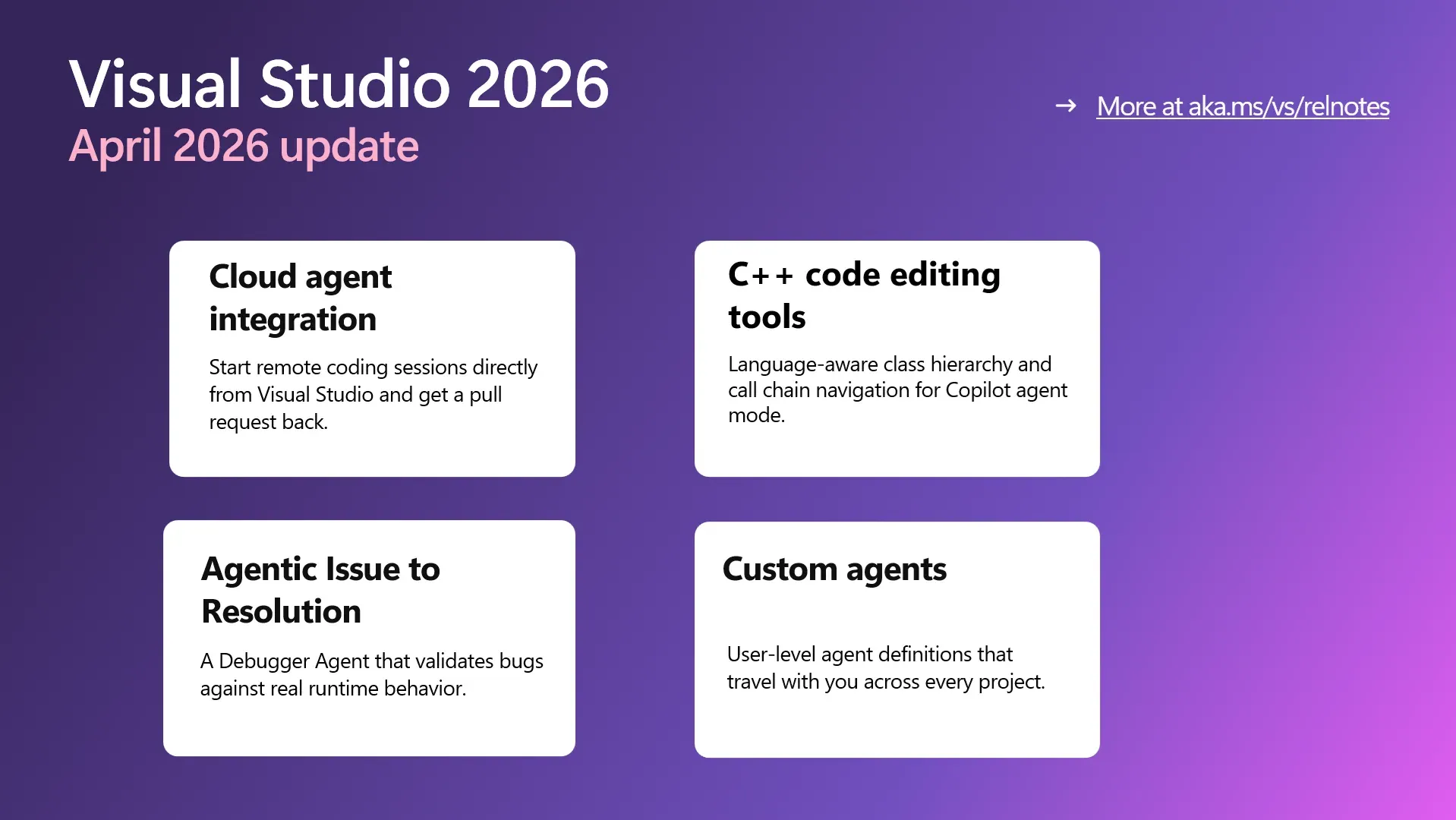
Here is the most concrete thing Microsoft has shown you can do with an AI coding agent: close Visual Studio, go home, and come back tomorrow to a finished pull request. That is the cloud agent workflow the company shipped in the VS 2026 April update, and it is the most direct answer yet to the question every IDE agent has been dancing around for two years — not "what can the model suggest?" but "what can the model actually deliver while you are not watching?"
The mechanics are straightforward. You pick "Cloud" from the agent picker, describe the work in natural language, and the agent opens a GitHub issue, writes the code, and delivers a pull request without requiring you to keep the IDE open. Notifications land when the PR is ready. Under the hood, it runs on remote infrastructure powered by Copilot coding agent, which means the quality of what gets delivered is bounded by that model's capabilities — not some net-new reasoning system. But the strategic bet is real: Microsoft is comfortable with IDE agents that run asynchronously and produce artifacts later, not just in-line completions that vanish when you close the chat panel.
This is not a novel idea. GitHub Copilot Workspace tried something similar. Cursor and Windsurf have been moving in this direction. What makes the VS 2026 implementation notable is the target audience: enterprise developers who have not migrated to VS Code, who live in large GitHub-connected repos, and who needed a reason to care about agent workflows beyond the demo stage. If you are already paying for Copilot and your team is on Visual Studio, this is a first-class path to asynchronous delivery — not a hack bolted onto an existing chat UI.
There is a catch that the announcement does not dwell on: the cloud agent requires GitHub permission to create issues and is currently powered by Copilot coding agent under the hood. That means the quality ceiling is Copilot's, not something new. The question the announcement does not answer is what happens when the agent produces a PR that fails CI, needs negotiation, or requires human clarification mid-flight. Error recovery and human-in-the-loop negotiation are where cloud-agent workflows tend to fall apart in practice, and Microsoft has not published details on how it handles those scenarios.
The more practically significant piece for developers working on real codebases today is the Debugger Agent. The reason is specific: it replicates issues against real runtime behavior. Most AI debugging tools look at code statically, find plausible error regions, and suggest fixes based on pattern matching. The Debugger Agent goes further — it creates a minimal reproducer, instruments the live application with tracepoints and conditional breakpoints, runs an actual debug session, and suggests a fix at the exact failure point. That is meaningfully different from suggesting that a null check might be missing. It is running the code, watching it fail, and reasoning backward from the actual stack trace.
The workflow starts from a GitHub or Azure DevOps issue, or from a natural-language bug description. The agent maps it to the local source, creates a reproducer, generates failure hypotheses, instruments the application, runs the session, and surfaces the fix. If it works reliably in production C++ or C# codebases — and that "if" is doing real work — it addresses one of the longest-standing complaints about AI-assisted debugging: that the model reasons from what the code looks like, not from what it actually does when it runs.
Alongside the debugger, custom agents now persist at the user level across projects. The storage location defaults to %USERPROFILE%/.github/agents/ and is configurable via Tools > Options > GitHub > Copilot > Copilot Chat > Custom agents user directory. That sounds like a convenience feature, but it matters for teams where developers maintain personal agents tuned to specific codebases, patterns, or review standards. Cross-project persistence means those agents survive a new project scaffold instead of needing to be rebuilt from scratch every time.
C++ code-editing tools for agent mode reached general availability in this release. The tools give Copilot get_symbol_call_hierarchy and get_symbol_class_hierarchy for C++ codebases — meaning the agent can trace class inheritance depth and follow function call chains during refactoring. Earlier Copilot tooling tended to work well for single files and simple refactors but struggled with inheritance complexity and cross-file call graphs. If the GA tools deliver reliable navigation in production C++ codebases — and again, that conditional matters — this is a meaningful productivity unlock for teams that cannot easily move to a different language or an alternative tooling chain.
Two smaller but welcome changes: IntelliSense now takes priority over Copilot completions by default, suppressing Copilot suggestions while IntelliSense is active and resuming after dismissal or commit. And Copilot keyboard shortcuts are now customizable, with specific edit commands exposed (Edit.AcceptSuggestion, Edit.AcceptNextWordInSuggestion, Edit.AcceptNextLineInSuggestion). These are the kinds of quality-of-life changes that signal the team is paying attention to how developers actually work, not just what the marketing story needs.
VS Code v1.118 shipped on April 27 with its own related news — Copilot moving to usage-based billing on June 1, 2026 — which is a separate but connected story about how Microsoft is pricing AI coding assistance as it matures from flat-rate subscription toward metered infrastructure. The VS 2026 April update is a direct but distinct IDE agent story: cloud-first delivery, runtime debugging, and persistent custom agents. Together they tell a consistent story about where Microsoft thinks IDE agent workflows are going — not just smarter autocomplete, but autonomous delivery of completed work.
The honest assessment for engineering teams is that the cloud agent PR workflow is the bigger strategic bet, but the Debugger Agent is the more immediately credible piece. Async PR delivery is a compelling promise that depends heavily on Copilot coding agent's actual reliability across diverse codebases and error modes. Runtime-aware debugging with tracepoint instrumentation is a more verifiable claim — if it consistently pinpoints failure points in real applications, it changes how teams debug. If it mostly suggests plausible-sounding fixes that happen to miss the root cause, it joins the long list of AI debugging tools that are impressive in demos and underwhelming in production.
The right move for teams evaluating this is to set up a narrow, high-signal pilot: pick a module with known failure modes, feed the Debugger Agent real bug reports, and measure whether the suggested fixes actually resolve the issues. Do not take the async PR promise to production on a large codebase until you have seen how the system handles a CI failure, a merge conflict, or a question the agent cannot answer. The framework is real. The reliability data is not yet public. That is the gap to close before you restructure your workflow around it.
Sources: Visual Studio Blog, Neowin, Visual Studio Magazine