Azure’s Real Agent Story Is Not Chat. It Is Making the Boring Middle of Operations Finally Move.

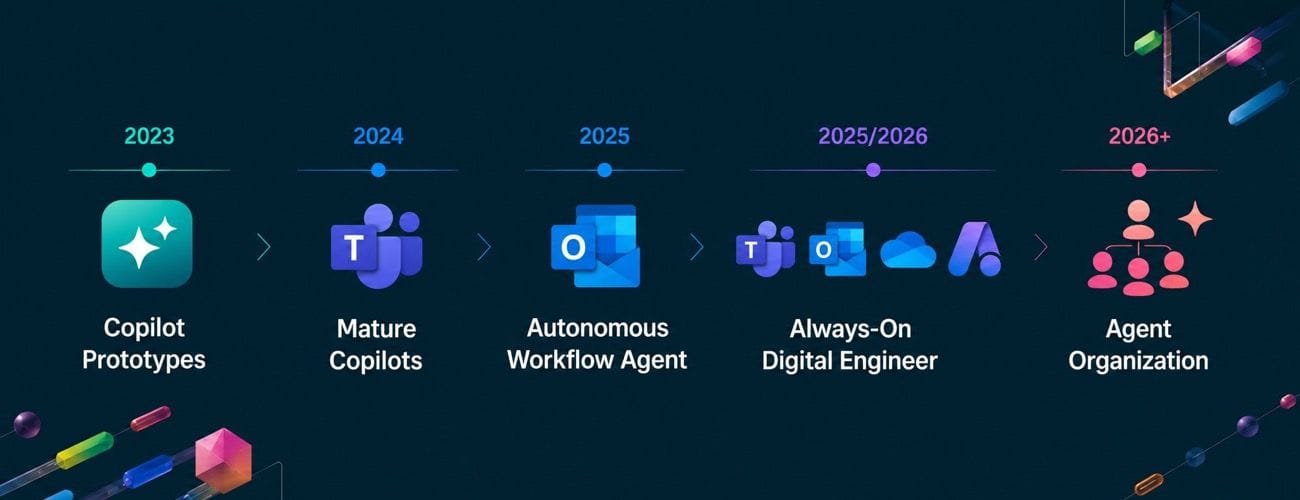
Enterprise agents are easiest to misunderstand when they are demoed as chatbots. Ask a question, get an answer, applaud politely, and then go back to the dashboard where the real work still happens. Microsoft’s Azure Networking example is more interesting because it points in the opposite direction: agents are not replacing the dashboard. They are living in the operational mess between dashboards, ticket queues, telemetry, vendors, email, Teams, and human escalation.
That “messy middle” is where infrastructure work actually slows down. Detection is often automated. Routing is often automated. Remediation is sometimes automated. But the hours between “we know something is broken” and “the right people have proved it is fixed” are full of status chasing, context replay, partial updates, multilingual coordination, vendor nudges, and telemetry checks. It is not glamorous work. It is also exactly the kind of work that turns a clean incident timeline into a nine-hour slog.
Microsoft says Azure’s physical network includes hundreds of thousands of kilometers of outside-plant fiber and more than a million optical devices connecting datacenters, regions, and Microsoft services. That network is supported by more than 10,000 employees across datacenter operations, network engineering, and hardware engineering. At that scale, the bottleneck is not only whether a human expert knows what to do. It is whether the process keeps moving while humans are busy doing the parts that require judgment.
The useful agent is the one that stays with the work
The concrete example in Microsoft’s post is a fiber break in Southeast Asia. An agent corresponded with a regional fiber provider and field technicians over email and Teams, carried context across multiple systems and languages, requested cadence updates, validated repair attempts against live telemetry, escalated a failed repair, and confirmed restoration. Microsoft says the workflow involved roughly 14 interactions over about 9.5 hours without a human engineer actively managing every step.
That is a better enterprise-agent case study than most launch demos because it is wonderfully mundane. The agent did not invent a routing protocol or autonomously redesign the WAN. It followed up, remembered, checked, compared vendor claims against telemetry, and escalated when reality disagreed with the update. In operations, that is not clerical trivia. That is the difference between “repair complete” as a sentence in a thread and repair complete as an observable condition in the system.
The reported gains are large enough to pay attention to: Microsoft claims 2x faster time to mitigate on fiber-repair workflows and up to a 78% reduction in manual effort. Those numbers should be read with the usual vendor-post caution, but the direction makes sense. If a senior engineer’s time is being burned on coordination loops that a policy-bound agent can handle, the return is not just labor savings. It is better use of scarce expert attention.
Identity, policy, and auditability are not garnish
The part practitioners should copy is not “add AI to incident response.” It is Microsoft’s control-plane language. The agents are governed by defined identity, roles, skills, policies, and auditability. Permissions vary by agent class and risk level. High-risk or irreversible changes require explicit approval from a human expert.
That is the difference between an operational agent and shadow automation with a friendlier interface. If an agent can email vendors, update tickets, query telemetry, or trigger remediation workflows, it needs a real identity. Not a shared service account. Not “the bot.” A real actor in the system whose permissions can be reviewed, whose actions can be logged, whose owner can be found, and whose access can be revoked.
The same goes for risk classification. A status-update agent is not the same thing as an agent that can push a network change. A read-only telemetry agent is not the same thing as an agent with write access to incident records and vendor communications. If the permission model treats those as variations of one assistant, the design is already drifting toward trouble.
Microsoft’s Cloud Adoption Framework language around agents is blunt about the risks: shadow AI proliferation, budget overruns, unused agents expanding attack surface, and fragmented administration. That is not theoretical. Agent fleets have all the lifecycle problems of microservices plus the ambiguity of delegated judgment. Who owns the agent? When does it start? When does it stop? What budget is it allowed to burn? Which systems can it touch? What evidence does it leave behind? If those answers live in a slide deck instead of an operating model, the agent estate will sprawl.
The first target should be coordination, not autonomy theater
The practical lesson for engineering teams is to stop looking first for places where an LLM can “replace” an engineer. That framing leads to bad demos and worse security reviews. Look instead for long-running workflows where humans spend hours preserving context across tools, checking whether someone responded, validating whether a claimed fix is true, and nudging a process back onto the rails.
Those are the places where agents can be useful without pretending they are magical. Incident coordination. Vendor follow-up. Change-window preparation. Post-deploy validation. SLO breach triage. Runbook progress tracking. Compliance evidence collection. These workflows are repetitive enough to benefit from automation and messy enough that static scripts often fail.
The channel choice matters too. Microsoft’s agents work across Teams, email, telemetry systems, and ticket queues because that is where the work already happens. An agent that requires operators to open another bespoke console is just another dashboard competing for attention. The best operational agents will feel less like a new app and more like a persistent coworker inside existing workflows, with enough policy around them that nobody has to wonder what they are allowed to do.
Smaller teams do not need Microsoft’s scale to use the pattern. A startup does not need an internal control plane for thousands of agents. It might need one tightly scoped incident coordinator with read-only telemetry access, permission to update Slack and tickets, explicit approval before any write to production systems, and logs that show every action and source of context. That is not flashy. It is deployable.
The broader point is that the enterprise agent story is maturing past chat. The value is not in another Q&A layer over observability data. It is in persistent, governed coordination across the gaps where operational work loses time. If Azure Networking’s numbers hold up, the killer app for agents may not be intelligence in the abstract. It may be follow-through.
Sources: Microsoft Tech Community, Microsoft Cloud Adoption Framework, Azure Networking