Gemini on Google TV Shows Where AI Agents Actually Get Useful

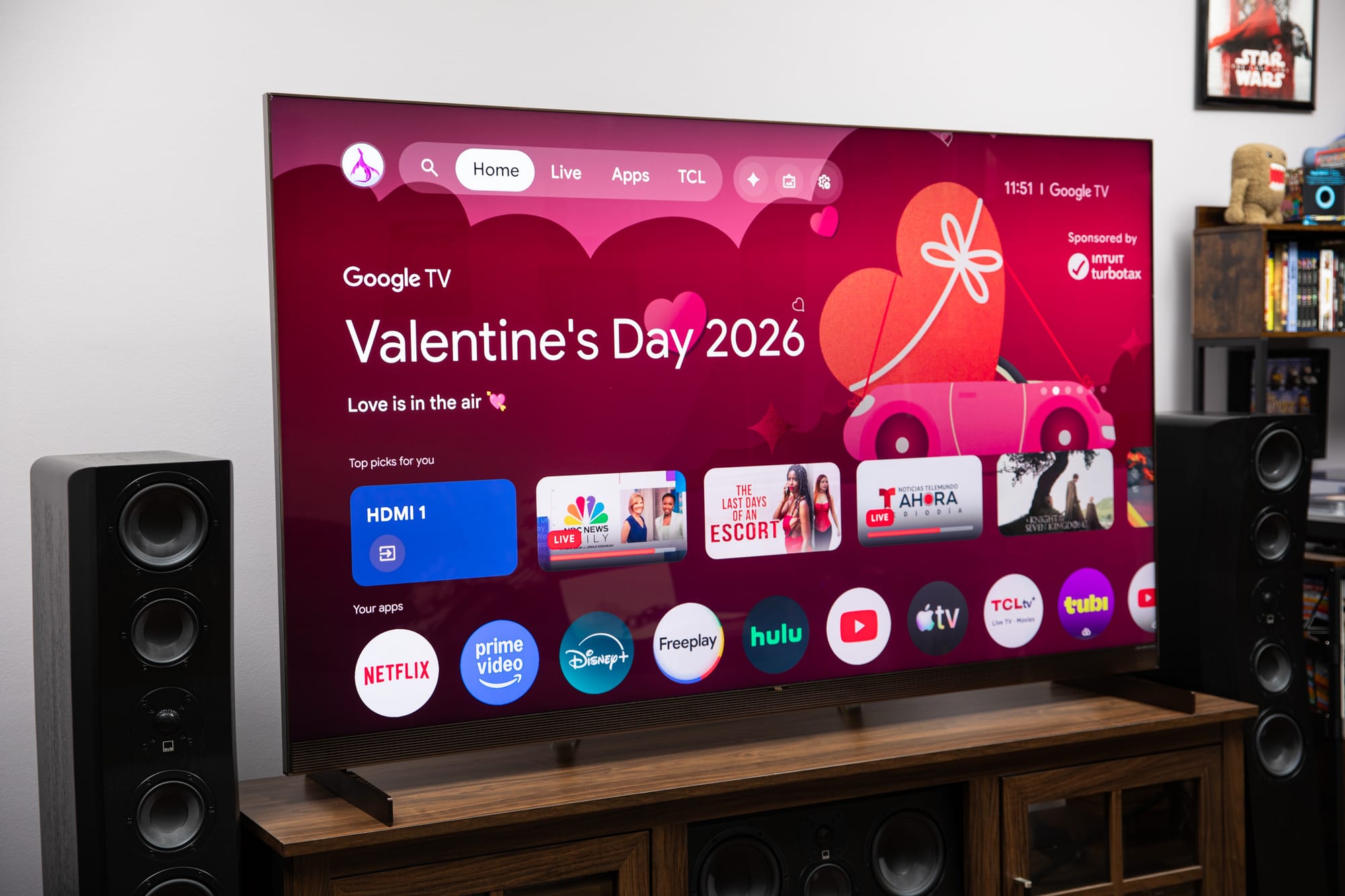
Gemini adjusting TV settings sounds like the smallest possible AI story until you look at the interface it replaces: a maze of picture modes, audio presets, buried menus, and vendor-specific labels that most people only touch when something looks obviously wrong. That is exactly why this rollout matters. The useful future of agents will not arrive first as a dramatic autonomous coworker. It will arrive as software that can hear “the screen is too dark,” understand the relevant control surface, make a reversible change, and get out of the way.
Google is now rolling out Gemini-powered settings controls for Google TV, with select TCL Google TV models in the U.S. getting the first wave. The feature lets users adjust picture, sound, and menu settings through natural-language voice commands: “Set picture mode to Sport,” “Increase the bass,” “Open display settings,” “the screen is too dark,” or “I can’t hear the dialogue clearly.” The Verge reported the rollout on June 12, while Google had previewed the same direction at CES 2026 as part of a broader push to make Gemini on TV more than a search box with a microphone.
The launch is deliberately constrained. According to 9to5Google, TCL says the feature is exclusive to TCL for the first 60 days. It is U.S.-only at launch, requires Android TV OS 14 or newer, and is limited to select 2025 and 2026 TCL models including lines such as QM9K, QM7L, RM7L, X11L, QM9L, QM8L, and RM9L. Engadget notes that users will need a system update on supported sets, and that Google has not yet given a clean timeline for other brands.
The interesting part is not voice. It is bounded agency.
Voice control on TVs is not new. “Turn the volume up” has been table stakes for years, and most implementations have ranged from tolerable to “where is the remote, this is embarrassing.” What is different here is the shift from explicit commands to symptom-level intent. A user does not need to know whether the fix for muddy dialogue is a sound mode, an EQ adjustment, a center-channel boost, or a vendor-specific dialogue enhancement toggle. They can describe the problem in human terms and let Gemini map that complaint to a bounded set of device actions.
That distinction is the product lesson. The assistant is not being handed the whole house. It is being handed a catalog of relatively safe operations: brightness, contrast, picture mode, volume, sound modes, bass, EQ, and menu navigation. If the model is unsure, the fallback is also safe: open the relevant settings page and let the human finish. That is a much better agent design pattern than “let the model do whatever seems right.” It gives the system a useful amount of autonomy without pretending autonomy is free.
For engineers building agentic features, this is the architecture worth stealing. Start with a narrow tool surface. Define capabilities per device or account. Keep actions reversible where possible. Make the assistant translate symptoms into actions, not hallucinate new affordances. Provide a manual fallback that preserves user control. Log what changed. Let users undo it. None of that sounds like keynote material, which is usually a good sign that it might survive contact with production.
TV settings are a surprisingly good sandbox
Consumer electronics are messy in the way real systems are messy. Picture modes vary by manufacturer and model. Audio options differ across panels, soundbars, content sources, HDMI inputs, and software versions. Even the same instruction can mean different things depending on whether the user is watching a bright soccer match, a dark prestige drama, or a YouTube video with terrible mixing. Google’s own CES footnote warns that the Gemini for TV experience depends on select devices, countries, languages, setup, Google account, internet connection, and Android TV OS 14+, and that results may vary. Translation: the abstraction leaks immediately.
That leak is why this is a better test than another chatbot demo. If Gemini makes the picture too warm, the user sees it. If it boosts bass instead of dialogue, the user hears it. If it opens the wrong menu, the friction is obvious. The feedback loop is immediate, local, and reversible. Compare that with agents sending emails, booking travel, changing CRM records, or editing production infrastructure. In those domains, failure might be delayed, expensive, or socially awkward. On a TV, the worst common failure is annoyance — which is exactly the kind of sandbox product teams should use before moving agents into higher-stakes workflows.
The 60-day TCL exclusivity also makes more sense through that lens. It is easy to treat the hardware limitation as marketing. Some of it probably is. But support boundaries matter when AI moves from answering questions to changing device state. A smaller supported fleet gives Google and TCL fewer settings trees to map, fewer firmware variants to debug, and a clearer path for collecting failure cases. Agents need staged rollout discipline just like any other production system. “Available everywhere” is not a virtue if the capability matrix is fiction.
The remote is still the recovery plan
There is a quiet design win in the ability to ask Gemini to open a specific settings menu instead of making the change itself. That is not a compromise; it is the control model. Some users will trust “make this feel cinematic.” Others will want “open display settings” and then do the last mile manually. Good agent UX should support both. Autonomy should be a dial, not a binary.
This is especially important for subjective domains. “Cinematic” is not a spec. It might mean warmer color temperature, less motion smoothing, darker blacks, different HDR tone mapping, or simply turning off whatever vivid showroom mode the TV shipped with. For a sports fan, “Sport” mode might be acceptable during the World Cup and intolerable during a film. For someone with hearing loss, “I can’t hear the dialogue clearly” may need more than a generic voice boost. The model can assist, but taste and accessibility are personal. Product teams should avoid mistaking convenience for correctness.
That is the broader agent lesson: when the desired outcome is subjective, expose the reasoning through the UI. If Gemini changes the sound mode, say what changed. If it boosts dialogue, show the setting. If it cannot find a matching capability, say that and open the closest menu. Users do not need a chain-of-thought essay from their television. They do need enough visibility to trust that the assistant did not just wiggle random knobs until the demo looked good.
Google TV is becoming another Gemini surface
This settings rollout sits inside a larger product arc. In March, Google announced richer visual answers on Google TV, deep dives for educational topics, and sports briefs covering leagues such as the NBA, NCAA basketball, NHL, MLB, MLS, and NWSL. At CES, Google also previewed Google Photos search on TV, Photos Remix, Nano Banana, and Veo media generation. Some of that is useful. Some of it is feature confetti. But the direction is consistent: the TV is becoming a Gemini surface with local context, media context, and device controls.
That matters because the living room is not the same as the phone or laptop. The interaction is shared, ambient, and often passive. A bad chatbot response on a laptop is private friction. A bad TV assistant response interrupts a room. The bar for usefulness is different: faster access to settings, better content discovery, visual answers that make sense from ten feet away, and controls that do not require reading nested menus during a movie. The successful features will be the ones that reduce remote-control labor, not the ones that merely prove a model can generate more content on a screen already drowning in content.
For developers, there is also a distribution signal here. Google is not only putting Gemini into developer tools, Workspace, Chrome, Android, and Search. It is pushing Gemini into appliances and surfaces where the model’s value depends on tool control rather than open-ended conversation. That is where agent products either become useful or expose their limits. A model that can summarize a plot is nice. A model that can change the actual display settings, explain what it did, and roll back when asked is closer to software doing work.
The caution is obvious: device-control AI should stay humble. The best version of this feature is not a TV that thinks it knows cinema better than you. It is a TV that understands “too dark,” “voices are muddy,” and “take me to the menu that fixes this” without making the user perform archaeology through settings. If Google gets that right, most people will not describe it as AI. They will describe it as the TV finally being less annoying.
That is usually the highest compliment a practical agent can earn.
Sources: The Verge, Engadget, 9to5Google, Google CES 2026 preview, Google TV March Gemini update