Remote Copilot CLI Makes Human Approval the New Coding-Agent Interface

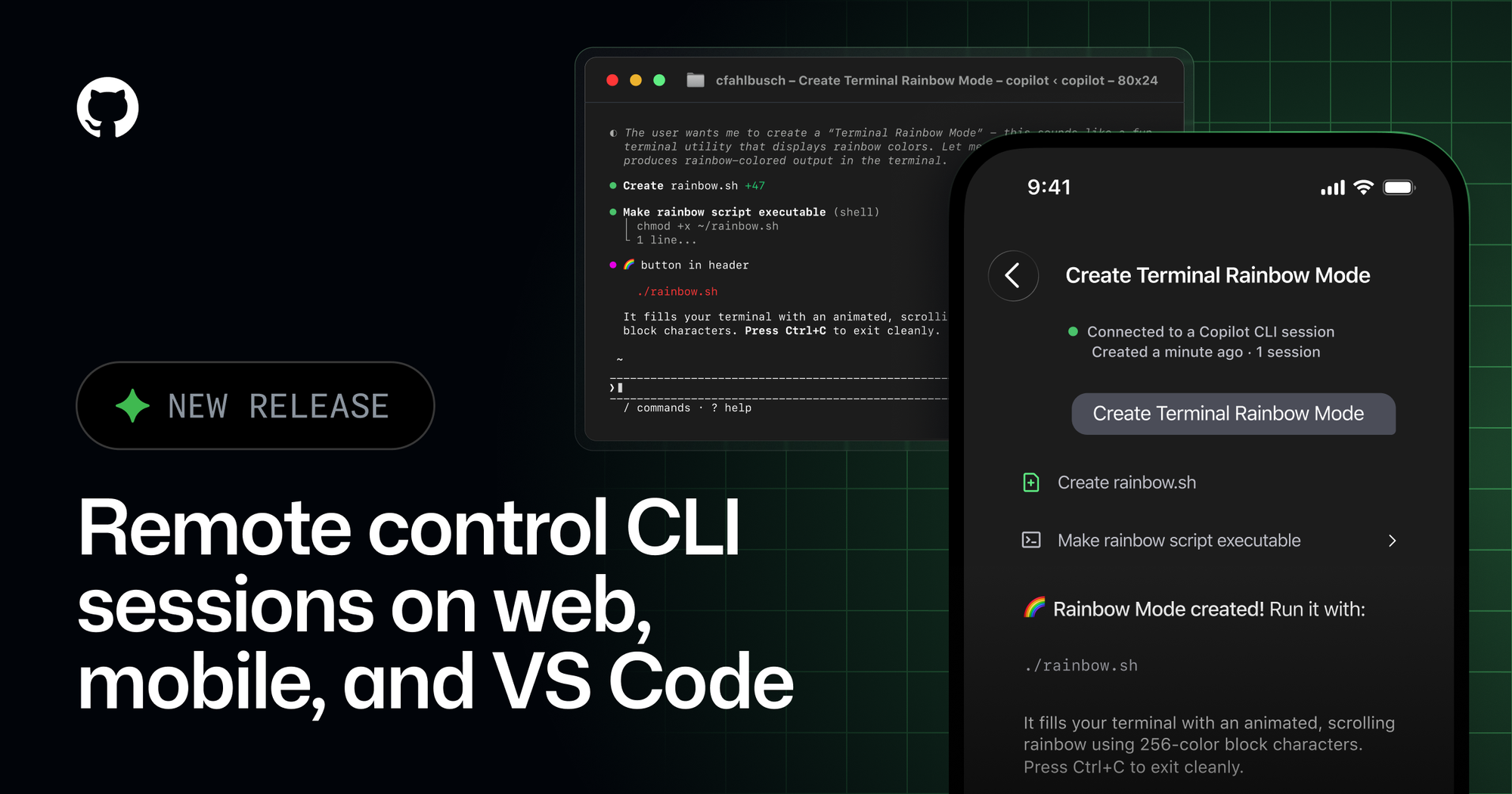
GitHub’s remote control for Copilot CLI is now generally available, but the product is easier to understand if you ignore the most obvious headline. This is not really about coding from a phone. It is about turning the developer into a remote reviewer for an agent running somewhere with a filesystem, credentials, tools, and enough rope to be useful.
The new release makes remote control generally available on GitHub Mobile and github.com, adds support for non-GitHub repositories and directories, and introduces remote control from VS Code and JetBrains. A developer starts a Copilot CLI session on a real machine, enables remote mode with copilot --remote or /remote on, and then monitors or steers the session from another interface. The local terminal and the remote UI remain active; when Copilot asks a question or requests permission, the first response wins.
That workflow sounds small until you map it to how coding agents are actually being used. Long-running agents do not fail because humans refuse to type prompts. They fail because they get stuck waiting for a permission, a design choice, a clarification, or a stop signal while the human is in a meeting, on a train, or pretending lunch is a human right. Remote control is GitHub’s answer to the stalled-agent problem.
The approval loop is becoming the interface
GitHub’s changelog lists the verbs that matter: track progress live, steer midsession, queue the next message, review and tweak plans before implementation, stop a session, approve or deny permission requests, and respond to Copilot questions. Those are not code-writing verbs. They are supervisory verbs.
That distinction is the story. The first generation of AI coding products sold autocomplete and chat. The current generation is selling delegation: fix this bug, update these tests, investigate this failure, refactor this module, draft the PR, explain why CI broke. Once the task runs longer than a single interaction, the human interface shifts from authoring to review. The human becomes the approval boundary.
OpenAI pushed the same pattern with Codex mobile: keep execution on a laptop, devbox, Mac mini, SSH host, or managed remote environment, and let the phone handle prompts, approvals, diffs, logs, and course corrections. GitHub’s Copilot CLI version has different ecosystem gravity — GitHub, IDEs, mobile, enterprise policies, and repos — but the workflow convergence is obvious. Vendors are building the control surface around intermittent human judgment, not around pretending anyone wants to inspect a 900-line diff on a six-inch screen.
That is good product sense. It is also a governance problem wearing a convenience hoodie.
Execution stays local, risk does not disappear
GitHub’s security model is better than the caricature. Remote control does not move execution into the browser or the phone. Shell commands, file operations, repo access, local tools, and credentials still run on the machine where the CLI session started. The remote interface sends session events, tool execution events, conversation messages, and permission requests through GitHub so the authenticated user can steer the session. Remote control is available only to the GitHub account that started the session.
That architecture is sensible. It avoids the worst version of “development environment on a phone,” where source code and secrets slosh into the least appropriate device in the stack. But it does not make the workflow automatically safe. It makes the local machine part of a remotely steerable agent loop.
If that machine has production kube contexts, cloud admin credentials, internal package tokens, customer data exports, private SSH keys, deployment scripts, or broad GitHub permissions, the risk follows the host. Remote approval does not downgrade those capabilities. It merely lets the human approve, deny, or redirect from another place. The safety boundary is therefore not the remote UI. It is the policy around what the local session can ask to do and what the host is allowed to reach.
GitHub made one particularly important choice: for organization-provided Copilot seats, enterprise or organization owners must enable the Remote Control policy, and it is off by default. That is the correct default. Remote approval removes physical presence as a weak friction layer. Physical presence was never a real security control, but it did slow down some bad ideas. If a tired developer can approve a tool request from a phone while half-reading the prompt, the organization needs stronger controls before the prompt appears.
The absence of /allow-all from the remote interface is also the right kind of boring. Convenience features are most dangerous when they collapse repeated judgment into blanket authority. “Approve this specific command” is already a meaningful trust decision. “Approve everything while I am on mobile” is how future postmortems get their cold open.
Non-GitHub repos make this more useful, and messier
The new support for non-GitHub repositories and arbitrary directories is one of the more interesting parts of the release. Sessions for directories not associated with a GitHub repository appear at github.com/copilot/agents. That makes Copilot CLI less of a GitHub.com-only appendage and more of a general coding-agent surface.
For developers, that is useful. Real work often lives in monorepos, internal mirrors, generated worktrees, deployment folders, scratch directories, or local automation projects that do not map neatly to a public GitHub page. For platform teams, it is messier. GitHub-native repo controls, branch protection, CODEOWNERS, Actions policy, and audit expectations may not describe the directory where the agent is running. A folder full of Terraform modules, deployment scripts, or incident-response tooling can look like “just a directory” to a product surface and like a privileged control plane to the company.
This is where engineering organizations need to stop asking only whether Copilot CLI is allowed and start asking where it is allowed. Local folder trust matters. Managed device posture matters. Secrets in shell environments matter. Network egress matters. MCP server configuration matters. If remote control is enabled, a session in a safe toy repo and a session in a deployment repository should not be treated as the same risk class because they share a UI.
The competitive comparison also shifts. The old buying question was “Claude Code, Codex, Cursor, or Copilot — which one writes better code?” That is now only the first round. The better question is which tool gives your organization the safest approval workflow, best logs, cleanest admin controls, most understandable permission model, and fewest ways for an exhausted human to approve the wrong thing on a small screen. Model quality still matters. So does the control plane around the model when it starts changing code.
GitHub has an advantage here because Copilot sits close to the places engineering work already happens: repos, issues, IDEs, mobile, enterprise policy, and GitHub’s broader agent surface. OpenAI has its own advantage through ChatGPT, Codex, connected hosts, SSH, and a fast-moving product cadence. Anthropic, Cursor, and others will keep pushing the developer-experience side. The winners will not only be the agents that solve tasks. They will be the agents teams can supervise without inventing a new security program from scratch.
The practical move is to write a remote-agent policy before the workflow becomes muscle memory. Decide which repositories and directories are approved for remote-controlled sessions. Require managed devices for hosts that hold sensitive credentials. Define which command classes need local-only approval. Disable remote control for environments with production access unless there is a compelling, reviewed reason. Log session metadata and permission events. Test failure modes: sleeping laptops, network drops, conflicting local and remote responses, mistaken approvals, and lost phones. The boring tests are where the product becomes infrastructure.
Remote Copilot CLI is not ridiculous because nobody wants to code from a phone. It is important because many people want agents to keep working while they are away from the keyboard. That future is plausible and useful. It also means human approval is becoming a distributed systems interface: asynchronous, interrupt-driven, policy-sensitive, and very capable of failing in ways the demo did not show. Treat the approval loop like infrastructure. The agent already does.
Sources: GitHub Changelog, GitHub Docs: remote control for Copilot CLI, GitHub public preview changelog, OpenAI Codex mobile announcement