Gemini Intelligence Turns Android Into an Agent Runtime. Now the Permission Model Has to Grow Up.

Android has always been Google’s most important distribution channel. With Gemini Intelligence, it is becoming something more consequential: an agent runtime with a billion-device attack surface and a billion-device product opportunity.
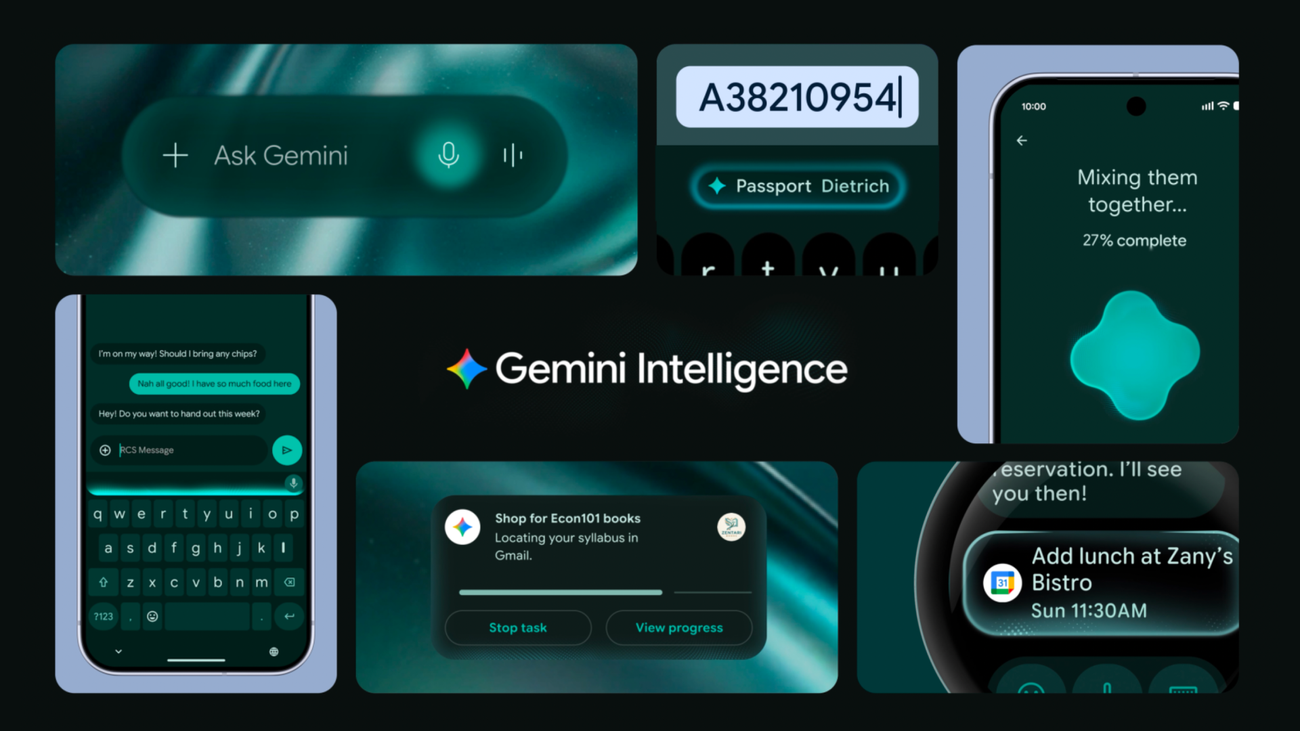
Google’s new Android announcement frames Gemini Intelligence as the next stage of mobile assistance: task automation across apps, screen and image understanding, Gemini in Chrome on Android, AI-assisted Autofill, cleaned-up dictation through Gboard, and prompt-generated widgets for Android and Wear OS. The rollout starts this summer on recent Samsung Galaxy and Google Pixel phones, then expands later this year across watches, cars, glasses, and laptops. That is the headline version. The practitioner version is sharper: Android is no longer just hosting apps. It is preparing to mediate work between them.
That changes the design contract for every Android app that expects to survive the next few years.
The phone is the sandbox now
Google’s examples are intentionally ordinary. Gemini can book a front-row bike for a spin class, find a syllabus in Gmail and add required books to a cart, turn a grocery list in Notes into a delivery order, or use a travel brochure photo to find an Expedia tour for six people. None of those demos require a new foundation model to sound impressive on stage. They require reliable orchestration across apps, UI state, user context, confirmations, and payment-adjacent workflows.
That is where the announcement gets interesting. A terminal agent can damage a repository. A browser agent can leak an authenticated session. A phone agent can touch location, identity, contacts, photos, calendar, messages, work profiles, subscriptions, delivery apps, ride shares, shopping carts, passkeys, and payments. The blast radius is personal in a way developer tools are not. Google says Gemini acts only when commanded, stops when the task is complete, shows progress through notifications, and leaves final confirmation to the user. Those are not nice-to-have UX details. They are the minimum viable safety model for letting a probabilistic system operate a phone.
For developers, the practical takeaway is not “add an AI feature.” It is make your app agent-legible. If Gemini is going to inspect a screen, summarize options, fill fields, or walk a user through a flow, your app needs to expose meaning instead of depending on visual guesswork. Use platform-standard intents. Label controls properly. Keep destructive actions behind clear confirmations. Make prices, dates, recipients, refund terms, order numbers, and authentication state readable. If your checkout depends on ambiguous modals and dark-pattern copy, an assistant will eventually automate the ambiguity at scale. That will not be a good look.
Autofill is where helpful gets intimate
The most revealing feature may be AI-assisted Autofill. Google says Autofill with Google can connect to Gemini Personal Intelligence to fill more complex fields using information from connected apps, with the connection strictly opt-in and disableable in settings. In product terms, this is obviously useful. Nobody wants to hunt through Gmail for a booking reference, license plate, shipment ID, or membership number while thumb-typing into a hostile mobile form.
But Autofill is also the place where ambient context becomes concrete. It turns “Gemini knows things about me” into “Gemini is putting those things into this field.” That makes the boundaries visible. Which apps can contribute context? Which fields can receive it? Does work-profile data stay separate from personal-profile data? Can enterprise administrators disable this for managed apps? Are autofill suggestions auditable after the fact? The announcement gives the consumer promise. The platform still needs the enterprise answers.
The same goes for Gemini in Chrome on Android, arriving in late June. Web research, summarization, comparison, and auto browse for tasks like appointment booking and parking reservations sound like natural extensions of desktop browser agents. On mobile, though, the browser is often the fallback interface for poorly integrated services. Developers should assume users will increasingly arrive through an AI-mediated path: an assistant comparing pages, extracting structured facts, clicking through forms, and asking for final confirmation. Sites that are accessible, semantic, and explicit will behave better than sites whose state lives in decorative markup and hidden JavaScript side effects.
Generative UI is safer when it is small
Create My Widget is the most easily mocked feature and maybe the smartest product wedge. Google calls it a first step in generative UI: users describe the information or workflow they want, and Android generates a widget for phone or Wear OS. TechCrunch reasonably framed the idea as “vibe-coded widgets” and noted that Nothing has already explored prompt-built mini-apps. Fair. The concept is not brand new.
But widgets are a good containment strategy. They are small, glanceable, permission-constrained, and already part of Android’s home-screen grammar. A prompt-generated widget is less dangerous than a prompt-generated app with broad permissions and unclear lifecycle behavior. If Google can make these components inspectable, revocable, and bounded, widgets could become a sane place to test user-generated software without pretending every user should become an app developer.
Rambler, the Gboard feature that turns natural speech into polished text, is the opposite kind of feature: mundane enough to matter. Google says it handles filler words, corrections, and multilingual switching, and that audio is used for real-time transcription but not stored. That kind of cleanup may change daily behavior more than the flashy cross-app demos because it removes friction in an input path people already use. The caution is scope creep. A transcription aid is one thing. A persistent context intake surface is another. Google should keep that line bright.
The Verge’s skepticism is useful here: Gemini Intelligence bundles new and existing Gemini features under yet another Google AI name, and many features start on premium Android phones. That matters. Google has a long history of launching smart-sounding assistant features that fragment by device, region, account type, and product surface. If Gemini Intelligence becomes a Pixel/Samsung showcase with limited third-party affordances, it is a product bundle. If it becomes a stable substrate that app developers can test against and cooperate with, it is platform architecture.
So what should engineering teams do now? Audit your mobile flows for agent-mediated usage. Add accessibility labels where they are missing. Make confirmations explicit. Treat checkout, account changes, health, finance, messaging, and workplace actions as high-risk flows that should never be ambiguous. Test with screen readers and automation tools, because the same semantic discipline helps assistants. Document which app states are safe for an assistant to read and which require human-only interaction.
LGTM on the ambition. Android is exactly where AI assistance becomes useful enough to matter. Request changes on any version of this future that treats permission prompts, runtime visibility, and developer contracts as cleanup work after the demo.
Sources: Google Android, Google Security Blog, Google Chrome, Google Gemini, TechCrunch, The Verge