Gemini’s Smart Pointer Is a UI Primitive, Not a Cursor Gimmick

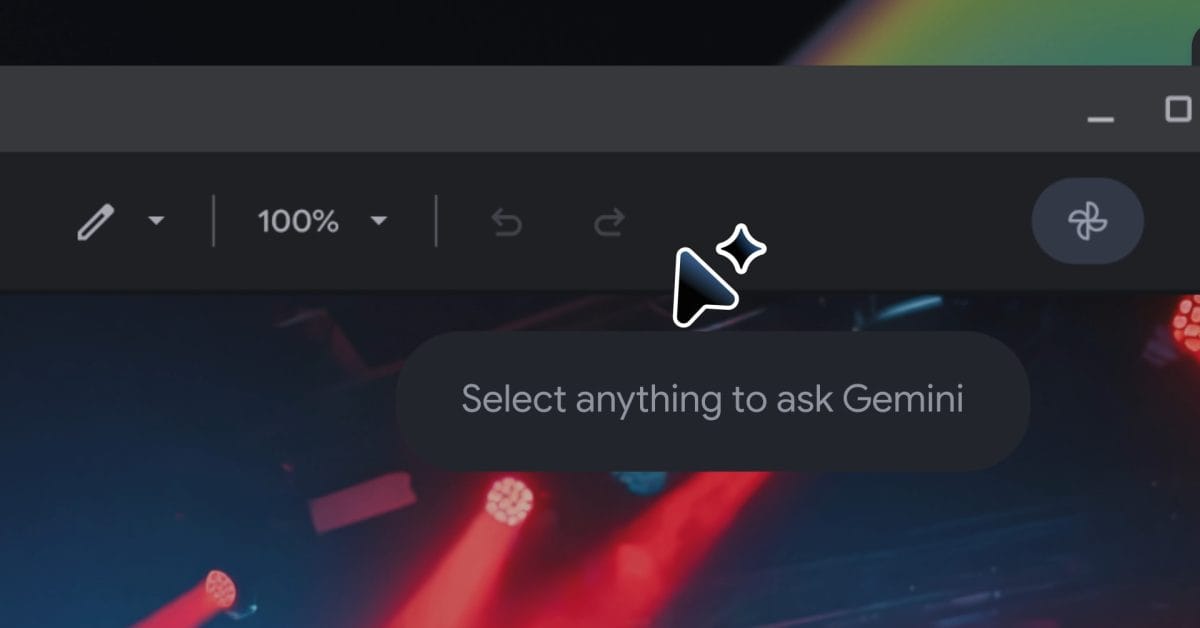
The easiest way to dismiss Google DeepMind’s new AI pointer work is to call it Clippy with a cursor. That would be satisfying, briefly, and also wrong. The interesting part is not that Gemini can appear near your mouse. The interesting part is that Google is trying to make pointing itself a first-class AI instruction: less “write a perfect prompt,” more “this thing, do the obvious next step.”
DeepMind published the research note on May 12, framing the pointer as one of computing’s most neglected primitives. The mouse has lived through the web, mobile, cloud apps, design tools, IDEs, and the AI boom with surprisingly little conceptual change. It still mostly tells software where the user is, not what the user means. DeepMind’s claim is that multimodal models can close that gap by understanding the visual and semantic context around the cursor: the word, paragraph, image region, table, code block, date, product card, restaurant, or document the user is indicating.
That sounds small until you look at the cost it removes. A huge amount of AI usage today is context transfer disguised as productivity: screenshot the thing, paste the thing, upload the file, describe which part of the page matters, explain the surrounding task, correct the model when it attends to the wrong object, then finally ask the actual question. The pointer is already how humans disambiguate context. Google’s bet is that AI interfaces should stop making users translate visual intent into paragraphs.
Reference engineering beats prompt gymnastics
DeepMind lists four design principles: “Maintain the flow,” “Show and tell,” “Embrace the power of ‘This’ and ‘That,’” and “Turn pixels into actionable entities.” Strip away the product language and the thesis is solid. Current chatbots are command-line interfaces for probabilistic systems. They reward users who can serialize context into text. That is not how most real work happens.
The demos are deliberately ordinary: point at a building and ask for directions, point at a PDF and ask for bullet points to paste into an email, hover over a statistics table and request a pie chart, highlight a recipe and double the ingredients. The ordinariness is the point. If this only worked for cinematic AI demos, it would be another lab toy. The valuable version works on the boring middle of computing: invoices, spreadsheets, design mocks, maps, shopping pages, bug reports, docs, screenshots, and all the half-structured mess that never quite fits into a clean API call.
Google is not leaving this as research theater. DeepMind says the work is being integrated into Chrome and the new Googlebook laptop experience. Gemini in Chrome can now use the pointer to answer questions about the part of a webpage the user cares about — compare a few products, inspect a section, reason about the current page rather than a detached prompt. Googlebook gets Magic Pointer, where a cursor wiggle summons Gemini-powered contextual suggestions. Subtle? No. But platform shifts rarely start subtle.
The better mental model here is “reference engineering.” Prompt engineering made users encode intent in language. Reference engineering lets users anchor intent to objects in the environment. “Summarize this,” “compare these,” “move that here,” “what does this error mean?” are bad prompts in a blank chat box and excellent instructions when paired with a reliable reference. For builders, that is the design opportunity: reduce the number of words users must spend telling software what both parties can already see.
The trust boundary is exactly where the cursor lands
The skeptical reaction from developers is not just predictable; it is useful. Hacker News commenters immediately raised the right questions: is this sending screen context to Google’s servers, does it require an always-on connection, what happens in offices where voice input is awkward, and who pays for a model call every time someone wants to change a word? One commenter summarized the darker version as an “agent running on someone else’s computer” observing and mediating more of the user’s life. That is blunt, but it is not paranoia. It is the actual product boundary.
A pointer-aware assistant does not merely see public webpages. It can be pointed at internal dashboards, customer records, source code, medical portals, bank flows, admin consoles, private emails, calendars, invoices, and documents behind login. If the system can turn pixels into actionable entities, then pixels become a permission surface. The cursor is no longer just input. It is a selector for privileged context.
Google’s Gemini in Chrome page says the assistant activates only when the user chooses the Gemini icon or shortcut and that it works “on your terms.” That is the right starting promise, but practitioners need more than a vibe. They need to know what context is captured, how much surrounding screen content is included, whether processing is local, cloud, or hybrid, how long artifacts are retained, how enterprise policies apply, and how untrusted page content is prevented from steering the assistant. Prompt injection is not only a coding-agent problem. It becomes a browser problem the moment an assistant reads pages and takes actions based on them.
This is where application developers should pay attention even if they never touch Gemini APIs. If AI assistants increasingly interact with apps through screen context, sloppy UI semantics become operational debt. Label controls correctly. Put destructive actions behind clear confirmation states. Make checkout, deletion, posting, booking, transfer, and account-change flows explicit. Expose structured data where possible. Do not hide critical state in custom canvas UI and then act surprised when an assistant misunderstands it.
Security teams should treat pointer-aware AI like browser automation with a nicer demo. Separate personal and work profiles. Avoid privileged production sessions in AI-assisted browsing contexts. Test pages, emails, docs, and dashboards for prompt-injection text that attempts to override user intent. Log assistant actions. Demand admin controls before enabling this broadly in managed environments. The failure mode is not that Gemini says something silly. The failure mode is that Gemini sees the wrong thing, trusts the wrong instruction, or acts with authority the user did not realize it had delegated.
There is also a practical UX trap. Voice-plus-pointer interaction is powerful for visual ambiguity, but voice is not socially neutral. Open offices, classrooms, shared homes, accessibility needs, and language switching all complicate the “just say what you want” story. The strongest version of this interface should support speech, typing, keyboard chords, selection gestures, and silent command palettes. The point is not voice. The point is grounded reference.
DeepMind is right that the pointer has been underused. The cursor can carry more context than coordinates, and AI systems should meet users where their work already lives instead of demanding ritual offerings to a chat window. But Google has to earn the trust boundary as aggressively as it sells the magic. A smart pointer is useful if it reduces context-transfer friction. It becomes creepy if users cannot tell what it sees, where it goes, or what authority it has.
LGTM on the primitive. Needs review on the operating model. The future of AI interfaces may be less about better prompts and more about better references — but the moment “this” can mean anything on your screen, permissions stop being settings-page plumbing and become the product.
Sources: Google DeepMind, Gemini in Chrome, Googlebook announcement, Hacker News discussion