Googlebook Is the Chromebook Rewrite Google Could Only Ship After Gemini

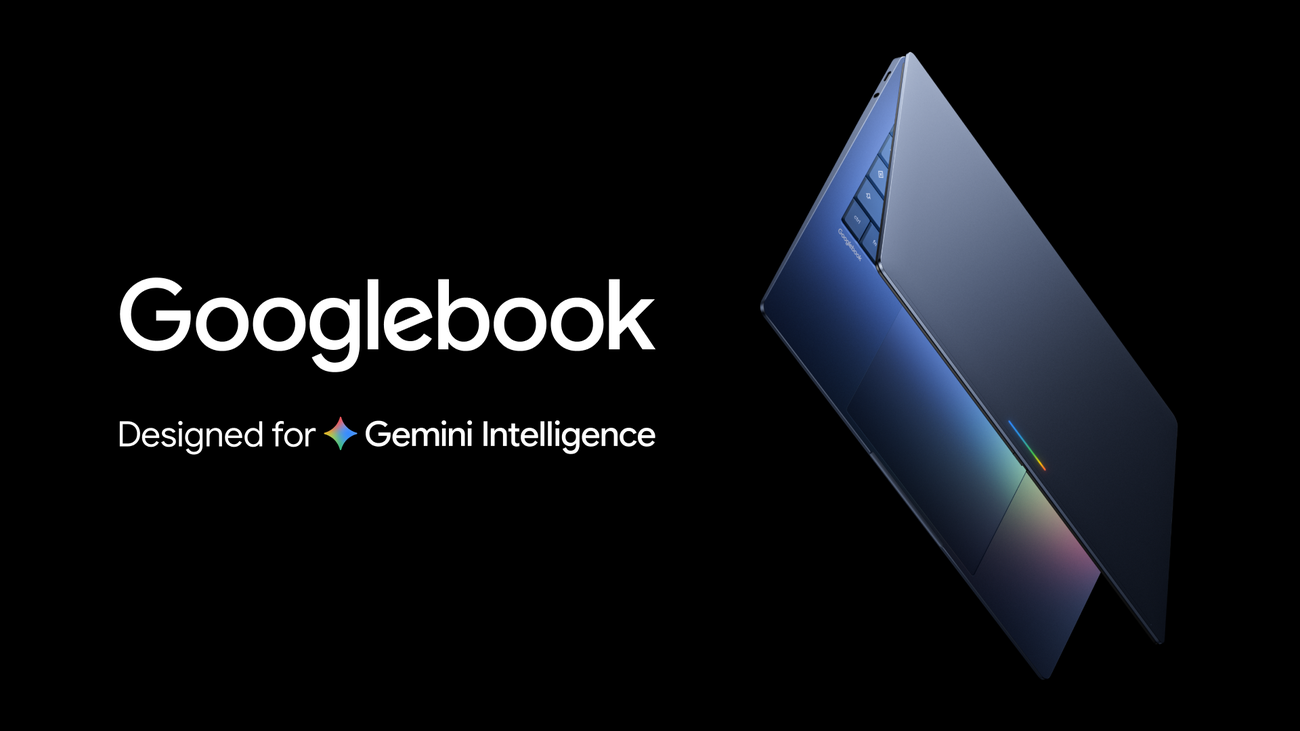
Googlebook is what happens when Google looks at the Chromebook story and decides the browser is no longer enough of an operating thesis. Fifteen years ago, “cloud-first laptop” was a clean idea. In 2026, Google’s new pitch is more ambitious and messier: the laptop as an intelligence system, with Android underneath, Chrome beside it, Gemini on top, and the cursor promoted from pointer to assistant trigger.
Google announced Googlebook on May 12 as a new laptop category “designed for Gemini Intelligence.” The first devices are planned for this fall from Acer, ASUS, Dell, HP, and Lenovo. Google is promising premium materials, multiple shapes and sizes, Android phone integration, Google Play apps, ChromeOS browser heritage, Magic Pointer, prompt-created widgets, and a distinctive glowbar so everyone in the room can know the laptop is having an AI moment. The name will get roasted. The strategy deserves a closer read.
The important sentence in Google’s post is not the hardware-partner list. It is this: Chromebook was built for a cloud-first world, and now Google says it is moving “from an operating system to an intelligence system.” That is the whole platform pivot in one line. ChromeOS made the browser the center of gravity. Googlebook tries to make Gemini the coordination layer across apps, files, screens, phone state, web context, and desktop widgets.
The Chromebook successor is really an Android bet
Googlebook combines Android’s app ecosystem with ChromeOS’s browser lineage. That sounds inevitable in hindsight, but it is a major platform admission. Android won phones because it became the default application substrate for billions of people. ChromeOS won its own narrower lane by being cheap, manageable, hard to break, and good enough for education, web work, and enterprise fleets. Googlebook is trying to take the useful parts of both without inheriting the weakest parts of either.
The Android side gives Google Play apps, phone continuity, familiar permissions, device services, and a developer base that already understands mobile-first product constraints. The ChromeOS side gives browser productivity, fleet-management expectations, security assumptions, keyboard/mouse workflows, and the institutional memory of shipping laptops at scale. The hard question is whether the result feels like a coherent computer or a large Android phone trying to cosplay as one.
That skepticism showed up immediately in developer communities. Hacker News commenters asked the blunt question: who is this for? Some saw an Android desktop mode with Gemini integration. Others worried that Android-on-laptop remains too “apps only” for general-purpose work. Several focused on pricing, local AI behavior, Linux support, and whether this lands below $500 as a Chromebook replacement, around $700 as a mainstream education/midrange competitor, or above $900 as a premium Google-platform machine with a narrower audience. Those are not nitpicks. They are the adoption curve.
If Googlebook is cheap enough, it can inherit Chromebook’s education and managed-device logic. If it is premium enough, it has to compete with MacBooks, Windows Copilot+ PCs, and iPads with keyboards on quality, battery, app fit, offline behavior, and trust. “It has Gemini” will not be enough. Nobody wants a premium laptop whose best features feel like cloud demos gated by subscriptions and region flags.
Magic Pointer is the demo; continuity is the product
Magic Pointer will get the attention because it is visually legible. Google says users can wiggle the cursor and get Gemini-powered contextual suggestions: point at a date in email to set up a meeting, select a living-room image and a couch image to visualize them together, act on the thing under the pointer instead of writing a long prompt. Built with DeepMind, it is the Googlebook expression of the same AI-pointer research now coming to Chrome.
That is a real UI idea, not just a gimmick. The pointer is already how users resolve ambiguity. Adding model understanding around it can reduce the tax of screenshots, copy/paste, uploads, and overexplained prompts. But Magic Pointer is not enough to define a laptop. The quieter feature may matter more: Googlebook can access Android phone apps from the laptop and use Quick Access to view, search, or insert phone files directly from the file browser without manual transfers.
That is where Apple has set the user expectation. Continuity should be boring. Files appear. Messages flow. Calls hand off. Clipboard works. Photos sync. The user should not think about which slab of glass owns the state. Google has the Android install base to match that vision, but the laptop side has always been the awkward half of the equation. If Googlebook makes phone apps and phone files feel native, fast, and safe on a laptop, that alone could justify the platform — even before Gemini does anything impressive.
Create your Widget is the other interesting piece because it points toward generative UI rather than just generative text. Google says users can prompt Gemini to create custom desktop widgets, drawing from the web and Google apps such as Gmail and Calendar. The family-reunion example — flights, hotel information, restaurant reservations, countdown in one desktop spot — is very Google-demo-coded. Still, the underlying pattern matters: users increasingly want small, task-specific surfaces, not another full app. Widgets are a plausible place for AI to generate disposable workflows that are useful for days or weeks, then vanish.
For developers, that raises practical questions. Will third-party apps be able to expose widget actions? Can apps define structured capabilities for Magic Pointer? Is there an Android/Googlebook equivalent of app intents that Gemini can call with clear permission prompts? Can enterprise admins disable screen-aware suggestions, phone-file access, or Google-app context? Are generated widgets inspectable, exportable, auditable, or trapped inside Gemini’s black box? The platform succeeds only if the APIs become boring enough for normal developers to trust.
Premium AI hardware still has to be a good laptop
Google says the first Googlebooks will come from major OEMs and use premium craftsmanship and materials. That creates an immediate expectations problem. Premium hardware buyers do not grade on a Chromebook curve. They expect excellent displays, keyboards, trackpads, battery life, sleep/wake reliability, app compatibility, memory headroom, local/offline behavior, repair and support clarity, and sane pricing. They also expect the machine to be useful when the AI service is unavailable, rate-limited, region-locked, or wrong.
The local-versus-cloud question is especially important. Google’s announcement talks about Gemini Intelligence, but it does not answer the practitioner-level details buyers and IT teams need: which tasks run on-device, which hit Google servers, what hardware acceleration is required, what happens offline, how work profiles are isolated, how long contextual artifacts are retained, and whether businesses can govern the model surface. If Googlebook is an “intelligence system,” intelligence becomes part of the trust model, not an optional feature checkbox.
This is also where Googlebook must differentiate from Copilot+ PCs and Apple Intelligence on Mac. Microsoft’s advantage is Windows distribution and enterprise gravity. Apple’s advantage is vertical integration and user trust in the hardware-software boundary. Google’s advantage is Android plus Chrome plus Gemini plus web services. That is a strong stack, but only if it feels integrated rather than assembled by org chart. The glowbar can be charming later. First, the product has to answer what a laptop gets from Android that ChromeOS alone could not provide.
My read: Googlebook is not just a Chromebook rebrand. It is Google trying to turn Android into the continuity layer for the post-chatbot laptop. The risk is obvious: another Google platform label that developers hesitate to target and users hesitate to believe in. The opportunity is also real: a laptop where phone apps, web work, files, widgets, and AI assistance share one coherent surface instead of bouncing users between devices and browser tabs.
LGTM on the ambition. Needs review on execution, pricing, APIs, and local trust boundaries. The product does not need to prove that a cursor can glow. It needs to prove that Android, Chrome, and Gemini together make a better computer than any one of them did alone.
Sources: Google, Google DeepMind, Hacker News discussion