NIMStats Gets the NVIDIA NIM Problem Right: Benchmark the Endpoint You Actually Use

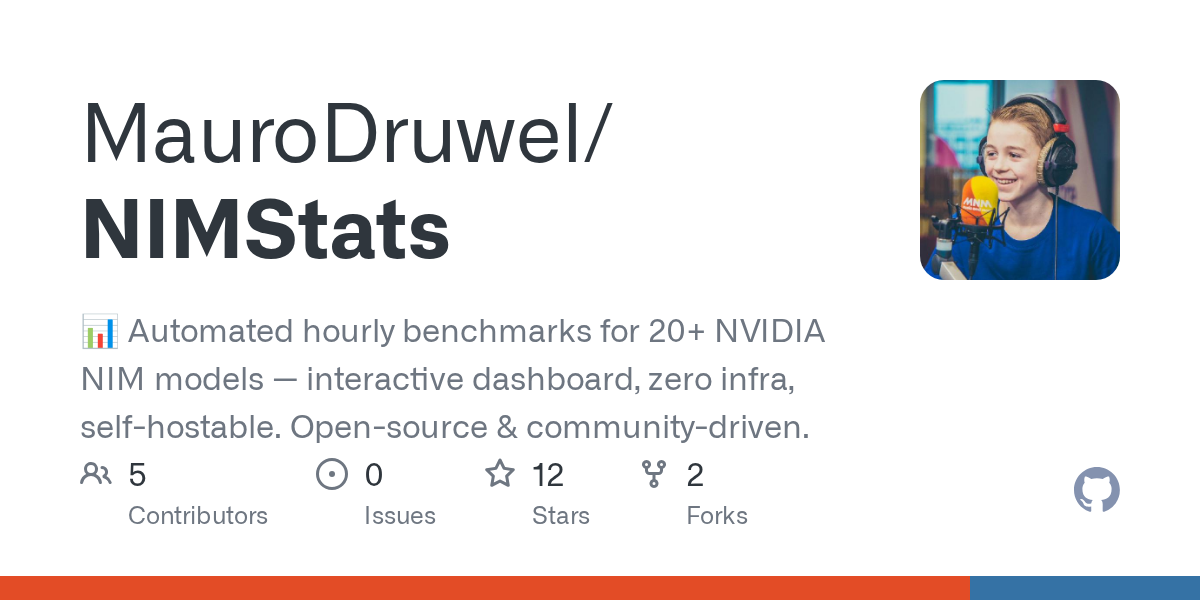
The most useful inference benchmark is usually not the one with the cleanest chart. It is the one that keeps running after everyone stops looking. NIMStats is a tiny open-source dashboard for NVIDIA NIM endpoints, and its value is exactly that kind of boring persistence: run the same checks every hour, store the history, and make endpoint performance visible before a model switch becomes a production incident.
The project benchmarks 20-plus NVIDIA NIM-accessible models every hour using GitHub Actions, writes results into a SQLite database, and publishes a static dashboard with response time, throughput, reliability, leaderboard, timeline, compare, and per-model explorer views. There is no backend service to operate. The browser loads history.db through sql.js and queries it client-side. For a small team choosing hosted models, that architecture is almost annoyingly reasonable.
This is not a major NVIDIA announcement. The repo had 12 stars, 2 forks, and no open issues at research time. That is fine. Not every useful infrastructure pattern arrives with a keynote. NIMStats is worth covering because it gets the operational problem right: hosted inference is mutable infrastructure, and mutable infrastructure needs continuous measurement.
The model catalog is not an SLO.
NVIDIA describes NIM as performance-optimized, portable, containerized inference microservices for pretrained, fine-tuned, and customized models across cloud, data center, and workstation deployments. The API surface is intentionally familiar: OpenAI-compatible calls over hosted endpoints or deployable microservices, with engine details like TensorRT-LLM and vLLM abstracted away. That abstraction is convenient. It is also why developers need their own telemetry.
A catalog can tell you that DeepSeek V4 Pro, DeepSeek V4 Flash, Nemotron 3 Super 120B-A12B, Qwen coder models, Mistral, Meta Llama, Gemma, MiniMax, Kimi, GLM, and OpenAI OSS models are available. It cannot tell you whether the endpoint you hit at 10:00 UTC on a Sunday is fast enough for your agent loop, whether latency has drifted since last week, whether a model fails more often under your prompt shape, or whether a “better” model becomes worse once wall-clock time is part of the product experience.
NIMStats’ model list spans 20 models across 9 providers exposed through NVIDIA NIM/API access. Its default benchmark parameters are simple: temperature 0.7, top_p 0.9, max_tokens 500, and OpenAI-compatible API calling. The workflow runs two parallel jobs, each covering 10 models, merges the results, commits them into SQLite, and lets a static site rebuild. The dashboard then shows KPI cards, speed and throughput bars, reliability pills, sortable leaderboard rows, sparklines, response-time history, error breakdowns, availability heatmaps, run timelines, and side-by-side comparisons.
That is not enough to choose a production model by itself. It is enough to catch the first class of bad decisions: picking a model from a launch post, assuming the endpoint is stable, and discovering under user load that the practical bottleneck is not intelligence but latency variance and failure rate.
The anti-leaderboard is the one you own.
The AI industry loves leaderboards because they collapse messy tradeoffs into a sortable column. Production systems do not work that way. A coding agent cares about tool-call formatting, repository context, long outputs, patch quality, and recovery from failed commands. A RAG assistant cares about grounded answers, citations, refusal behavior, and retrieval sensitivity. A support bot cares about policy compliance and predictable tone. A batch summarizer may care more about cost and throughput than first-token latency.
So the right way to use NIMStats is not to fork it and worship the default chart. The right way is to fork it, replace the prompt set, add task-specific scoring, and keep the hourly reliability timeline. For coding-agent evaluation, that might mean prompts with tool schemas, repo snippets, patch requests, and expected failure classifications. For an internal assistant, it might mean representative documents and graded answer keys. For inference routing, it might mean measuring p50/p95 latency, tokens/sec, error rate, output length, and task pass/fail across candidate models before changing the route.
This is where the project’s small design choices are useful. SQLite in the repo is crude but inspectable. GitHub Actions is not a perfect benchmark environment, but it is easy to schedule, cheap to run, and good enough for longitudinal smoke tests if you label what you are measuring. A static site avoids operating another dashboard service. The setup path — fork, add NIM_API_KEY as a GitHub Actions secret, deploy to Cloudflare Pages, GitHub Pages, Netlify, or Vercel — means a team can have a baseline in minutes and then make it more serious over time.
The adjacent market signal is bigger than the repo. LiteLLM had 47,000-plus GitHub stars during research and explicitly supports NVIDIA NIM among many providers. That tells you where inference is going: one OpenAI-shaped interface, many backends, routing decisions increasingly hidden behind gateways. The easier it becomes to switch models, the more dangerous it becomes to switch without measurement. A config file can move traffic from DeepSeek to Nemotron to Qwen instantly. It cannot tell you whether the move helped.
Benchmark hygiene is the part that decides whether this helps.
There are obvious caveats. Hourly benchmarks against 20 hosted models consume quota and can run into rate limits. The user’s prompt explicitly noted rate-limit discipline, and that applies here too: serialize bursts where needed, respect 429 and Retry-After, add backoff, and avoid turning a dashboard into a noisy neighbor. GitHub Actions networking may become part of the measurement, especially across regions. If you care about regional latency, label benchmark runs by region and runner. If you care about concurrency, add a separate test rather than pretending one serial prompt predicts production behavior.
Data hygiene matters as much as latency hygiene. NIMStats stores prompts and model responses in history.db. That is useful for debugging and dangerous if teams casually benchmark with sensitive internal prompts in a public repository. The fork-and-go workflow is great for public smoke tests. Production teams should decide what gets stored, scrub sensitive outputs, keep private repos private, and define retention. “It was just a benchmark” is not an acceptable incident report.
The methodology also needs task realism. A single generic prompt with max_tokens 500 mostly measures endpoint health and rough generation speed. It does not measure whether a model can edit a codebase, follow your tool schema, preserve citations, or refuse a dangerous request. That is not a criticism of NIMStats; it is the natural boundary of the default. The project is scaffolding, not an eval lab. Its value is giving teams a place to put the evals they should already be running.
For builders using NIM, the actionable pattern is straightforward. Treat inference endpoints like dependencies with SLOs. Put them under continuous measurement. Track p50 and p95 latency, error rate, tokens/sec, output length, and task-specific pass/fail. Add compare views before switching providers. Feed real agent traces into the benchmark harness after removing sensitive data. Keep the history long enough to see drift. When a hosted model changes behavior, you want a timeline, not a hunch.
NIMStats is small, but it points in the right direction. The serious question for AI teams in 2026 is no longer “which model won the blog-post benchmark?” It is “which endpoint is good enough for our workload this week, under our prompts, at our latency budget, with failures we can tolerate?” That is less glamorous than a leaderboard screenshot. It is also much closer to engineering.
Sources: MauroDruwel/NIMStats GitHub, NVIDIA NIM API documentation, NVIDIA build model catalog, LiteLLM AI Gateway, sql.js