Codex App 26.602 Is a Small UX Release With a Big Tell: Agents Need Observability for Humans, Too

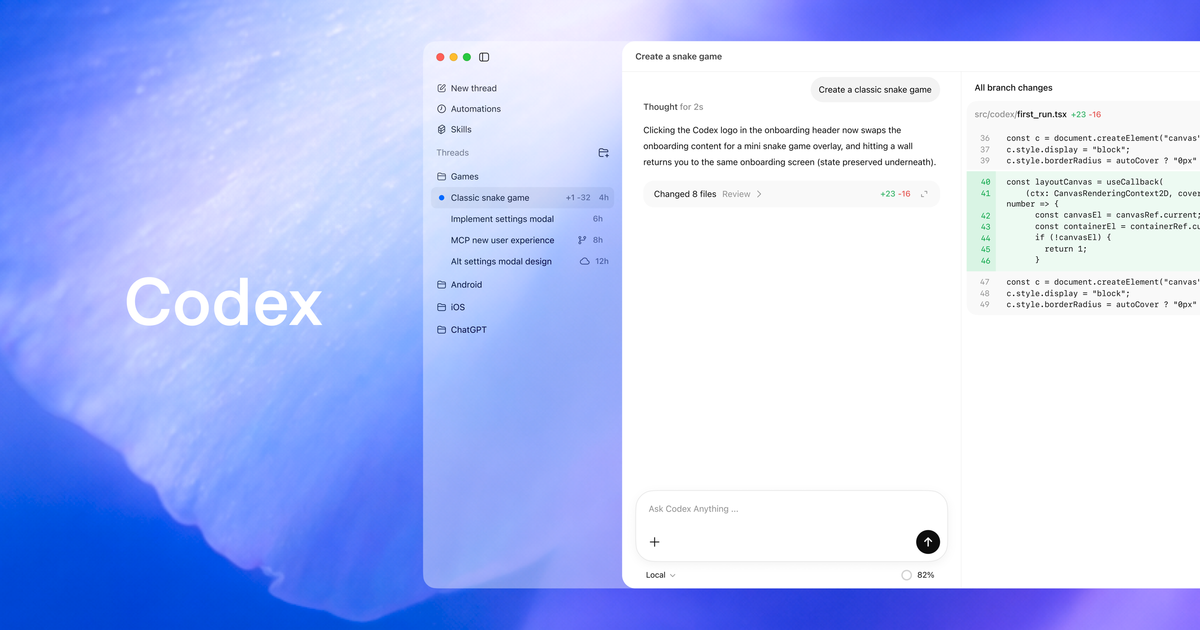
Codex app 26.602 is not a feature-drop headline. Good. The most revealing agent releases are often the ones that make fewer promises and sand down the places where real users get hurt: startup readiness, error reporting, usage visibility, onboarding, and the UI seams around browsers, terminals, and diffs.
OpenAI’s June 4 Codex app update adds activity insights and share cards in the Profile section, improves Computer Use startup readiness, improves appshot error reporting, fixes browser and review UI issues, and expands onboarding role choices so first-run suggestions can be tailored more accurately. That is not the kind of changelog that wins a launch-day thread. It is the kind that tells you where the product is turning from demo into daily tool.
The subtext is simple: desktop agents need observability for humans, not just more autonomy.
The sleeper feature is usage visibility
Activity insights and share cards sound like consumer-growth furniture. On consumer ChatGPT plans, OpenAI says users can review Codex usage highlights, save a profile card, and share it. Fine. Every product eventually discovers the screenshotable achievement badge.
But inside a coding-agent app, usage highlights are more interesting than the share button. They are the lowest rung of personal observability. What did I ask Codex to do? Which workflows dominate my usage? Where did it help? Where did I keep retrying? Which projects are now mediated by an agent often enough that I should write down a real policy instead of relying on muscle memory?
Teams will need the grown-up version of this. Not “look how many prompts I sent,” which is the agent era’s equivalent of measuring engineering by lines of code. Useful metrics are closer to: accepted diffs, rejected diffs, tasks completed without rework, time-to-human-review, rollback rate, failed Computer Use attempts, permission prompts, app approvals, cost, test pass/fail, and sensitive-surface usage. The Codex app is still presenting the consumer-sized version, but the direction matters. Agent work that cannot be inspected becomes folklore. Folklore is not an operating model.
The timing is also notable because Codex has been accumulating surfaces quickly: desktop threads, worktrees, automations, Git operations, remote connections, Computer Use, Appshots, an in-app browser, image generation, skills, plugins, and IDE sync. Once one app can touch that many parts of a developer’s workflow, “what happened?” becomes a first-class product question. A chat transcript is not enough. A user needs usage history, artifacts, approvals, failure context, and a way to explain the work to another human.
Computer Use makes reliability a safety feature
The reliability line in 26.602 — “Improved Computer Use startup readiness and appshot error reporting” — is easy to skip. Do not skip it. Computer Use is where Codex crosses from tidy repo automation into the messy world of graphical interfaces, signed-in browsers, app state, and foreground input.
OpenAI’s Computer Use docs are unusually direct about the tradeoff. The feature is available on macOS and Windows, excluding the European Economic Area, the United Kingdom, and Switzerland at launch. It lets Codex see and operate graphical interfaces for tasks where command-line tools or structured integrations are not enough: checking a desktop app, using a browser, changing settings, working with a data source that lacks a plugin, or reproducing a GUI-only bug. On macOS, users grant Screen Recording so Codex can see apps and Accessibility so it can click, type, and navigate. On Windows, Computer Use runs on the active desktop and can move the pointer and type in the foreground.
That is useful power. It is also why startup readiness and error reporting are not polish. If a command-line tool fails to start, you usually get stderr and an exit code. If a desktop agent fails halfway through a GUI flow, the human needs to know whether it could not see the app, lacked OS permission, clicked the wrong window, hit a signed-in website state, lost foreground control, or encountered a site prompt that should never have been automated. Better error reporting is trust infrastructure.
The docs also draw the correct boundary between structured integrations and screen-driving. If the target app exposes a plugin or MCP server, prefer that for repeatable operations and data access. Use Computer Use when the visual interface is the source of truth. That is the practical rule teams should adopt: APIs first, tests second, GUI automation when the GUI itself is what you need to inspect. Reaching for Computer Use because it is cool is how you turn a deterministic workflow into a screenshot-dependent one.
Appshots are context capture, not harmless screenshots
Appshots deserve the same caution. They are valuable because they let a user capture the frontmost app window and pass visual context to Codex without writing a long bug report. OpenAI’s docs note that Appshots can include a screenshot plus available text, including text exposed outside the visible scroll area, and that they are stored locally in the session file like manual attachments. If a user interacted with a Codex thread in the previous 60 seconds, the appshot attaches to that recent thread; otherwise it starts a new one.
That 60-second behavior is ergonomic and slightly dangerous. It reduces friction when you are actively working with Codex. It also means a user capturing a sensitive customer dashboard, email view, settings page, or internal console needs to verify which thread receives the appshot. Local session-file storage is better than mysterious cloud-only persistence, but it is still persistence. Device management, retention, and deletion policies should account for it.
This is where practitioner guidance should get concrete. Keep sensitive apps closed unless required. Do not use Appshots on customer-data surfaces until your team understands storage and retention. Train users to check the target thread before attaching visual context. Treat screenshots as data, not decoration. If Google Docs, Gmail, Sheets, or Slides only provide visible screenshot context unless a matching plugin supplies structured access, that is not a reason to screenshot everything. It is a reason to prefer the structured path when it exists.
The browser warning is even sharper. If Codex uses your browser, it can interact with pages where you are already signed in, and sites may treat approved clicks and submissions as actions from your account. That means browser-driving agents need the same review posture as a junior developer operating under your login: narrow task, visible target, human present for account/security/payment/credential flows, cancel immediately if the wrong window gets involved. “The agent clicked it” will not impress the audit log.
Small UI fixes are where agent review gets cheaper
The rest of 26.602 is familiar app polish: fullscreen browser composer controls, hex color swatches, terminal scrollbar alignment, animated diff stat alignment, broader onboarding role choices, and general performance fixes. None of that is individually profound. Together, it points at the real ergonomics problem for coding agents: humans need to review, steer, and recover from agent work without losing the plot.
Browser controls matter because integrated browsing is now part of verification. Terminal scrollbars matter because logs are evidence. Diff stats matter because humans scan change shape before reading every line. Onboarding role choices matter because first-run suggestions are the product’s first attempt at scoping agent behavior to a user’s actual job. These are mundane details, and mundane details decide whether a tool is safe enough to use every day.
The rollout advice is boring on purpose. Update the app. Then write down local policy. Which apps may Codex operate automatically? Is locked Computer Use allowed on Macs? Are Appshots permitted for customer data, internal admin consoles, or production dashboards? Which browser profiles are safe? Who receives failure reports when Computer Use startup breaks? Should users preserve appshot errors and screenshots for debugging, or delete them aggressively? Which workflows should use plugins instead of screen control?
Codex app 26.602 will not be remembered as a milestone release. It should be read as OpenAI tightening the human-facing seams around desktop agency. Once a coding agent can see the screen, click the browser, capture app context, and run parallel work, “startup readiness” and “error reporting” stop being UX chores. They become part of the trust boundary.
The future of agentic coding is not just better models. It is better evidence for the humans who have to decide whether the work is safe to ship. This release is small. The operational surface it points at is not.
Sources: OpenAI Codex changelog, OpenAI Codex app docs, OpenAI Computer Use docs, OpenAI Appshots docs