Codex Moves From Prompt Box to Operating Surface With Appshots, Goal Mode, and CLI 0.133.0

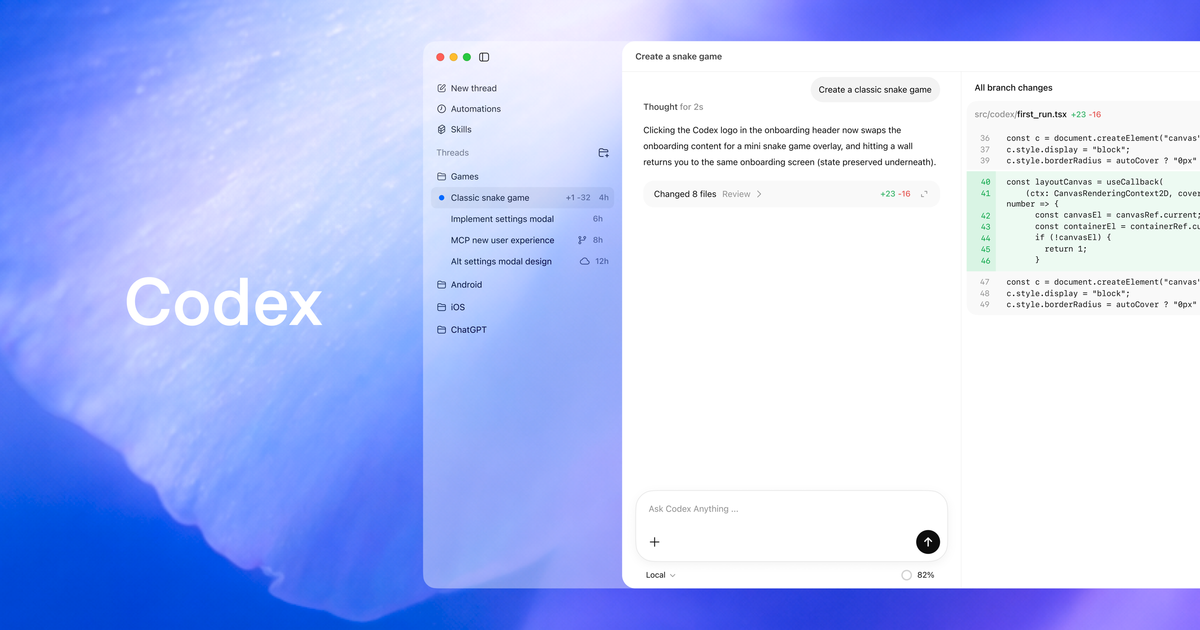
Codex is becoming less like a better prompt box and more like a developer operating surface. That is the real story behind OpenAI’s May 21 update: Appshots, generally available Goal mode, locked computer use, plugin sharing, and Codex CLI 0.133.0 are not isolated features. They are the connective tissue of an agent that can see application state, hold a definition of done, use tools over time, and operate under policy.
That is also why the release deserves more scrutiny than the usual “new AI coding feature” treatment. The product question is no longer whether Codex can produce a decent patch from a prompt. Most serious coding agents can do that on a good day. The harder question is whether teams can safely give an agent enough context and autonomy to do useful work without turning every workflow into a privacy exception, a sandbox mystery, or a billing surprise.
OpenAI’s answer, at least in this release, is to push Codex closer to where developers actually work: the Mac app, the IDE extension, the CLI, browser flows, local plugins, workspace-shared tools, and long-running goals. That is the right direction. It is also exactly where the sharp edges live.
Appshots turn screen state into agent context
The headline user-facing feature is Appshots for the Codex app on macOS. Press both Command keys, or a configured hotkey, and Codex captures the frontmost window as context. That context can include the visible screenshot plus available text from the app, including text visible on screen and text the app exposes outside the visible scroll area.
That sounds small until you think about how much developer time is spent translating UI state into prompt state. “This modal is misaligned.” “This page is showing the wrong option.” “The browser tab has the error.” “The design in Figma does not match what the app rendered.” Appshots reduce the ceremony of describing what is already in front of the developer.
The implementation details matter. Appshots are stored locally in the Codex session file and behave like attachments. By default, OpenAI says an appshot starts a new thread; if the user interacted with a Codex thread in the last 60 seconds, Codex adds the appshot to that recent thread. That 60-second behavior is a useful convenience, but it also means teams should treat appshots as deliberate artifacts, not casual screenshots that vanish into the ether.
OpenAI is appropriately blunt about the privacy tradeoff: do not take appshots of sensitive content unless required, because the screenshot and available text are shared with Codex. Some apps and websites, including Google Docs, Gmail, Google Sheets, and Google Slides, may provide only the visible screenshot rather than full off-screen text unless a matching plugin is installed. That limitation is not just a product footnote. It is a reminder that “context capture” is inconsistent across apps, and inconsistent context is where agent behavior gets surprising.
Goal mode is a contract, not a prompt
The second strategic piece is Goal mode becoming generally available across the Codex app, IDE extension, and CLI. A normal prompt is a transaction: ask, wait, inspect. A goal is closer to a contract: here is the objective, here is the definition of done, keep working until the result satisfies it or the task is blocked.
OpenAI says Goal mode can be started with /goal; if it is not visible, users can enable features.goals in config.toml or run codex features enable goals. The docs position it for work that may take many steps or needs a persistent completion criterion, and say it can run toward a specific objective for “hours or even days,” with controls to pause, resume, edit, or clear the goal.
That is the right abstraction for agent work, but only if teams write goals like engineers write acceptance criteria. “Improve this service” is not a goal; it is a spending plan with vibes. “Reduce p95 latency for endpoint X below 250ms, preserve existing API behavior, update the benchmark, and stop if schema changes are required” is a goal. The difference is whether the agent has a bounded target and whether a human reviewer can tell if it succeeded.
CLI 0.133.0 reinforces that this is not just a UI flourish. The release enables goals by default, backs them with dedicated storage, and tracks progress across active turns. That kind of statefulness is mandatory if agent work is going to outlive a single chat exchange. Without it, “autonomy” mostly means an expensive loop that forgets why it started.
The boring CLI changes are the enterprise story
The Codex CLI 0.133.0 changelog reads like a release for people operating a coding-agent runtime, not demoing one. The GitHub compare range from rust-v0.132.0 to rust-v0.133.0 reports 123 commits, 716 files changed, and 30 contributors. The interesting pieces are not just Appshots and goals; they are permission profiles, plugin discovery, remote control, lifecycle events, and reliability fixes.
Permission profiles gained list APIs, inheritance, managed requirements.toml support, runtime refresh behavior, and stronger Windows sandbox integration. Plugin discovery now exposes marketplace-aware list output, installed versions, visible marketplace roots, and remote collection support. Extensions can observe more lifecycle events, including subagent start and stop, tool execution, turn metadata, async approval, and turn processing.
That is the grown-up surface area. Platform teams need to know what the agent can access, which plugins are installed, what requirements are centrally managed, and what happened when a tool call or approval path fired. If those details are invisible, the agent is not governed; it is merely hoped at.
Remote control also got more operational. codex remote-control now runs like a foreground command, waits for readiness, reports machine status, and keeps explicit daemon-style start and stop commands. Again, not a flashy feature. But a remote agent that cannot report readiness cleanly is not infrastructure. It is a screen session with better branding.
Computer use needs policy before enthusiasm
The locked computer-use feature is useful and uncomfortable in exactly the expected way. OpenAI says Codex can use desktop apps after a Mac locks, including remotely via Codex Mobile. The unlock window is short-lived, scoped to active trusted computer-use turns, covers every display while temporarily unlocked, relocks on local keyboard or pointer input, and falls back to manual unlock outside the trusted window.
Those constraints are good. They are also not a substitute for an organizational policy. Teams should decide where locked computer use is allowed before the first incident forces the discussion. It may be reasonable for low-risk local test workflows, UI automation on disposable accounts, or supervised remote debugging. It should be restricted or prohibited for credential stores, payment systems, production admin consoles, customer data, and anything where “the agent clicked while the laptop was locked” would sound bad in a postmortem.
That is not anti-agent paranoia. It is ordinary threat modeling. Codex is gaining hands. The response is not to avoid hands forever; it is to write down what those hands are allowed to touch.
Plugin sharing makes agent config part of the supply chain
OpenAI also added workspace plugin sharing through marketplace sources for ChatGPT Business, with Enterprise support listed as coming soon. Shared local plugins stay within the workspace and organization boundary and can bundle skills, app integrations, and MCP servers.
This is a big deal because agent capability is moving out of the model and into the surrounding integration layer. A team-specific plugin can encode internal workflows, expose company tools, and give Codex context the base model will never have. That is useful. It is also supply chain. A plugin is not “just configuration” if it bundles skills, app integrations, and tool servers that an agent can call.
The practitioner move is to inventory shared plugins the way you inventory CI actions, browser extensions, and IDE plugins. Who owns it? What tools does it expose? What credentials does it need? Can admins disable sharing? Is there a review process before a local plugin becomes a workspace default? OpenAI’s managed requirements support, including the ability to disable plugin sharing, points in the right direction. Teams should use it.
The broader competitive read is that Codex and Copilot are converging on different definitions of “coding agent platform.” GitHub Copilot is strongest where GitHub workflow distribution matters: issues, PRs, code review, model policy, usage reporting, and IDE reach. Codex is leaning into a cross-app and local/cloud operating model: app context, computer use, plugin bundles, CLI controls, remote control, and long-running goals.
For buyers and builders, the comparison should stop asking which model wins a toy benchmark. The better question is which operating surface matches how your engineers actually work, and whether you can govern that surface without inventing a second security program. If your pain is GitHub-native review and planning, Copilot’s distribution is hard to ignore. If your pain is multi-app context, local workflows, and agent runtime control, Codex is becoming more interesting.
The safe adoption path is boring and therefore correct. Test Appshots on non-sensitive UI debugging and design-review workflows. Require explicit completion criteria for Goal mode. Put locked computer use behind policy, not enthusiasm. Audit permission profiles before team rollout. Treat shared plugins as supply-chain artifacts. If you build Codex extensions, wire into lifecycle events early; observability is how agent systems become reviewable instead of mystical.
Codex 0.133.0 and the 26.519 product update are not just feature drops. They are OpenAI admitting that a serious coding agent needs eyes, hands, memory, policies, plugins, and operational controls. That is the right bet. The catch is that every one of those nouns is also a governance problem. Ship the capability, yes. But review the runtime like it is production infrastructure, because that is what it is becoming.
Sources: OpenAI Developers Codex changelog, OpenAI Codex 0.133.0 GitHub release, OpenAI Codex Appshots docs, OpenAI Codex Goal mode docs, OpenAI Codex computer-use docs, OpenAI Codex plugin-sharing docs