GitHub Copilot App Canvases Admit the Real Problem: Agent Work Needs Inspectable State, Not Longer Chat Threads

Chat was a fine demo surface for coding agents. It is a lousy supervision surface.
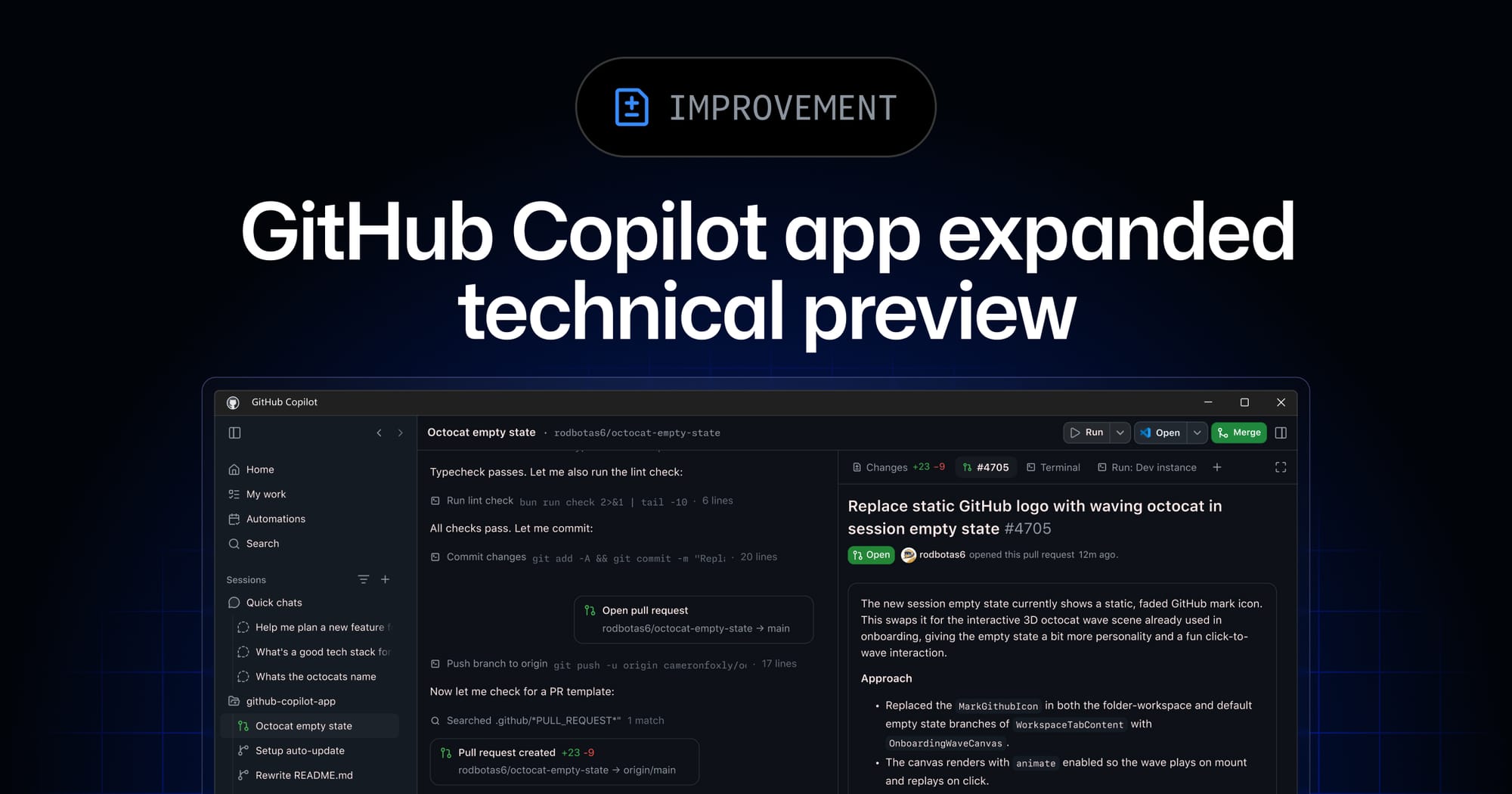
That is the quiet admission inside GitHub’s expanded technical preview for the Copilot app, now available to existing Copilot Pro, Pro+, Business, and Enterprise customers, with Copilot Free and non-Copilot users pointed to a waitlist. The headline feature is not another model selector or a shinier prompt box. It is canvases: structured work surfaces where agents can update plans, pull requests, browser sessions, terminals, checklists, dashboards, and other stateful objects while humans can edit, reorder, approve, redirect, and verify the work in place.
That matters because the hardest part of agentic software development is no longer getting an agent to produce code. The hard part is knowing what it is doing, where it is doing it, what state it has mutated, and when a human should intervene before the diff turns into archaeology.
The useful shift is from transcript to state
GitHub describes the Copilot app as an agent-native desktop experience for Windows, macOS, and Linux. Sessions can start from issues, pull requests, prompts, prior sessions, connected repositories, or even local folders. Parallel sessions run in separate git worktrees and branches with isolated files, conversation, and task state. From a single “My work” view, developers can review plans and diffs, validate behavior in an integrated terminal or browser, and open pull requests through the normal team checks.
That is a much better shape than a long chat thread with occasional code blocks. A transcript can tell you what the agent claimed. It is much worse at answering the questions engineers actually ask during review: which branch is this on, what changed since the last checkpoint, what tests ran, which browser step failed, what assumption is still unverified, and what will happen if I approve the next action?
Canvases are GitHub’s answer to that mismatch. The company frames them as structured, bidirectional surfaces over work objects: plans, pull requests, browser sessions, terminals, release checklists, migration boards, incidents, spreadsheets, dashboards, cloud consoles, and workflow state. That list is ambitious bordering on kitchen-sink, but the abstraction is right. Long-running agent work needs inspectable state, not just more conversational chrome.
Agent Merge is where convenience starts looking like process
The preview also extends the app beyond local prompting. GitHub says Agent Merge can address review comments, fix failing checks, wait for configured conditions, and merge when those conditions are satisfied. New preview items include voice conversations with on-device speech-to-text, cloud sessions, cloud automations, Copilot CLI sessions appearing in My work, agentic browsing, Rubber Duck, and /chronicle across agent sessions.
There is a lot to like here. Review comments are repetitive. Failing checks often need mechanical fixes. A session that can wait for CI instead of forcing a developer to babysit a terminal is genuinely useful. The problem is that merge is not just another tool call. Merge is a boundary crossing: from “agent proposed work” to “this is now part of the codebase.”
Teams should treat Agent Merge less like a productivity toggle and more like a release-process feature. If it is enabled, the conditions need to be explicit: which branches qualify, which checks are mandatory, whether human approval is still required, whether the agent can push follow-up commits after review, and what happens when a flaky check passes on retry. “The agent fixed CI and merged” is delightful until the fix is a test deletion, a brittle timeout bump, or a change that satisfies automation while violating the intent of the review.
The right early rollout is narrow. Use it on low-risk repositories or well-bounded maintenance work. Require the canvas, diff, and CI trail to be inspected before merge. Keep production-adjacent code, security-sensitive paths, and migrations under human-owned merge authority until the team has real evidence about the agent’s behavior. Trust should be earned by logs and outcomes, not granted because the UI makes approval feel smooth.
Cloud sessions are infrastructure, not a nicer laptop
Cloud sessions and cloud automations are another important turn. A local agent session is annoying when it goes wrong, but it is usually bounded by a developer’s machine and attention. A cloud agent that can continue work, respond to GitHub events, or run on a schedule starts to resemble infrastructure. That changes the risk model.
GitHub’s broader Copilot app story lands in a context where software velocity is already absurdly high: the company says commits on GitHub nearly doubled year over year, crossing 1.4 billion per month, with more than 2 billion GitHub Actions minutes per week. Add agents that can spawn work from issues, operate in isolated worktrees, browse web apps, update PRs, and merge under conditions, and the bottleneck becomes not code generation but operational control.
Practitioners should ask boring questions before being impressed by the demo. Who owns a cloud session after the developer goes offline? Can it access secrets? Does it inherit repository permissions or user permissions? Are transcripts searchable by default? What is retained, redacted, and auditable? Can a scheduled automation run forever? Can it be paused centrally? What is the rollback path if the agent updates the wrong branch or opens five nearly identical pull requests?
Those questions are not anti-agent. They are pro-shipping. The teams that benefit most from this tooling will be the ones that make agent work observable and reversible. The teams that treat it as magic will discover the usual magic failure mode: nobody knows why the thing happened, but everyone can see the diff.
Agentic browsing helps, but it is not QA
The integrated browser and agentic browsing story is especially tempting. Letting an agent click through a UI, inspect screenshots, and validate behavior closes a loop that pure code generation never could. For frontend work, documentation sites, admin dashboards, and simple product flows, that can catch obvious regressions faster than a human repeatedly running the same manual check.
But teams should avoid promoting browser-driving agents to quality-assurance departments. A browser session can be misleading if it has the wrong account, feature flags, viewport, test data, localization, permissions, or network conditions. An agent that successfully clicks through one happy path has not validated the product. It has produced evidence, and evidence still needs interpretation.
The better use is targeted verification. Ask the agent to reproduce a bug, capture the failing path, apply a small fix, rerun the path, and attach the canvas evidence to the PR. Pair that with real tests where possible. If the browser surface becomes an inspectable artifact rather than a hidden “trust me” step, it can make review cheaper without pretending review disappeared.
What engineers should do with this preview
If your organization gets access, do not start by “letting everyone try it.” Start with one repo and one workflow: issue-to-PR for low-risk changes, documentation updates with screenshot verification, or maintenance fixes where CI coverage is strong. Require every agent session to leave a useful trail: plan, branch/worktree identity, tests run, browser evidence if relevant, and the human decision point.
Write down the defaults. Are sessions local, cloud, or both? Can the app start from local folders that are not Git repositories? Are Copilot CLI sessions allowed to appear in My work for everyone? Which teams can enable preview features? For Business and Enterprise customers, GitHub says orgs must enable preview features and Copilot CLI; that administrative gate should be used as a governance moment, not rubber-stamped as “developer productivity.”
Also watch the community feedback that is already showing up in the right places. Public issue activity around the app has included requests for checkpoint-style rewind, clearer local-workspace versus worktree visibility, and better layout for browser or Playwright surfaces. Those are not cosmetic complaints. They are exactly the papercuts that decide whether humans can supervise agent work under pressure.
The Copilot app preview is interesting because GitHub is moving past the fantasy that chat is enough. Agents do not need longer transcripts. They need visible work objects, recoverable state, clear ownership, and review surfaces that make human judgment easier to apply. That is the direction this should go.
The editorial verdict: canvases are the right primitive. Now GitHub has to prove the state is trustworthy, the permissions are legible, and the merge path is disciplined enough for real teams. Otherwise the industry will have reinvented the worst part of project management software, but with an agent that can push commits.
Sources: GitHub Changelog, GitHub Blog, GitHub Docs, GitHub Community discussion