GitHub Copilot App Is Becoming a Control Room for Agent Work, Not Another Chat Window

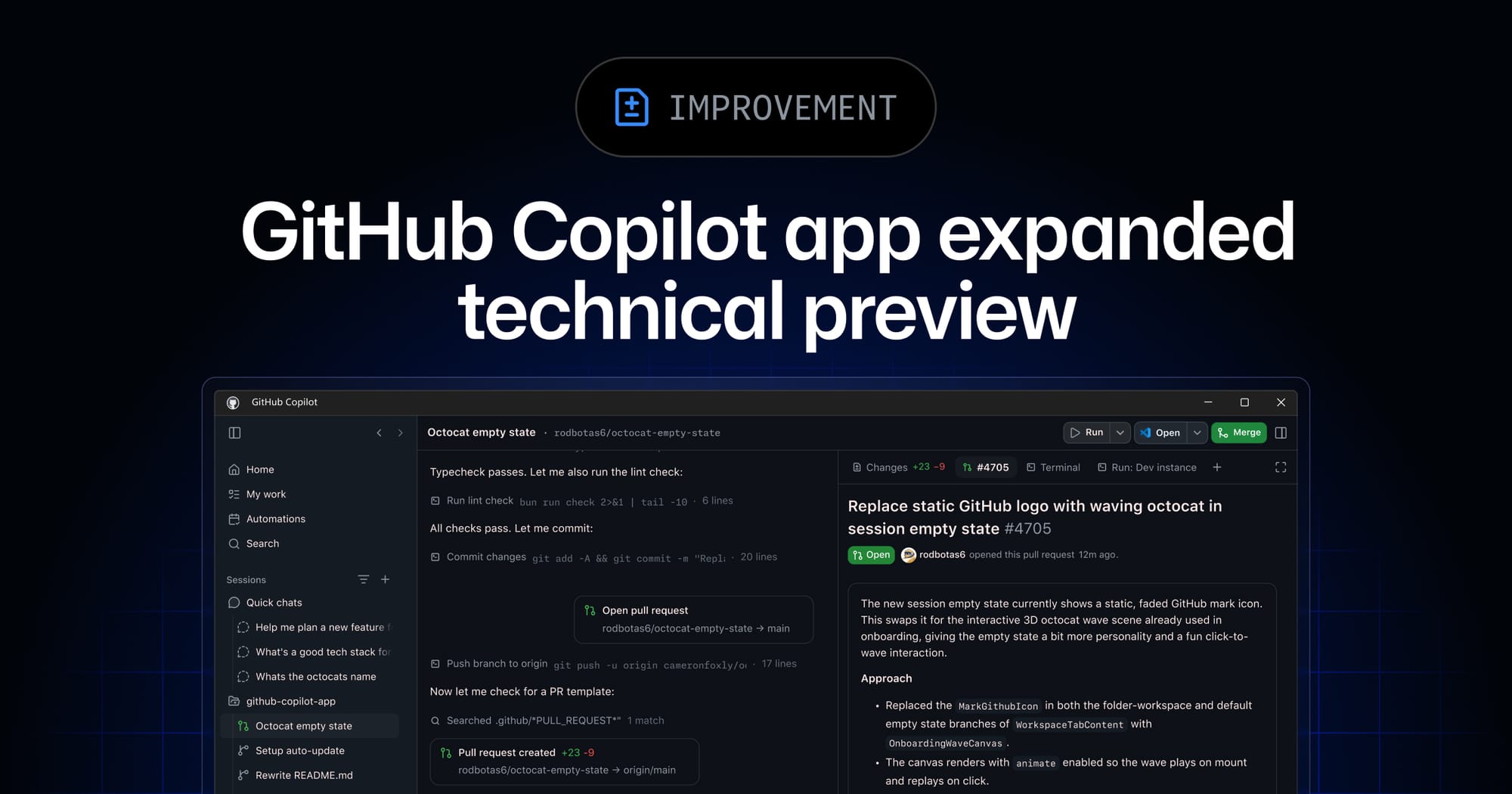
GitHub’s new Copilot app is easy to mistake for another AI chat surface. That would be the wrong read. The interesting part is not that Copilot now has a desktop app on Windows, macOS, and Linux. The interesting part is that GitHub is conceding the obvious: chat is a weak control plane for delegated engineering work.
Chat is fine for intent. It is bad at supervision. Once an agent has a branch, a worktree, a terminal, a browser, a pull request, and enough autonomy to keep moving while you are doing something else, the bottleneck is no longer “can it generate code?” The bottleneck is whether a human can inspect the plan, steer the session, compare competing attempts, verify the result, understand what changed, and decide whether the work should merge. That is not a chat problem. That is an operations problem.
GitHub’s expanded technical preview for the Copilot app, opened to existing Copilot Pro, Pro+, Business, and Enterprise users, is the clearest version of that shift so far. The app can start sessions from an issue, pull request, prompt, previous session, local folder, or connected repository. It supports parallel sessions in isolated git worktrees and branches, cloud sessions, cloud automations, Copilot CLI session visibility, agentic browsing, voice conversations, Rubber Duck, and /chronicle search across prior sessions. GitHub also updated the changelog on June 5 to remove the waitlist link and point eligible users at the app download, which is a small docs detail with a bigger implication: this is moving from demo lane into adoption lane.
Canvases are the real product
The feature worth watching is canvases. GitHub describes them as bidirectional work surfaces where users inspect and steer, agents read and update, and the app enforces allowed actions against the underlying artifact or runtime. The examples are broad: plans, pull requests, browser sessions, terminals, release checklists, migration boards, incidents, spreadsheets, dashboards, cloud consoles, and workflow state.
That breadth sounds like product marketing until you map it to the failure mode every serious agent user has already hit. A long-running agent session becomes a scrollback swamp. The important diff is somewhere above the test failure. The agent changed its plan three times. The PR comment it claims to have addressed is not actually fixed. The browser check passed in the agent’s narration but not in the app. The human reviewer is reduced to archaeology.
A canvas is GitHub’s attempt to make agent work inspectable as structured state instead of prose. That matters. A pull request is not just a conversation; it is a diff, comments, checks, ownership, risk, and merge policy. A release is not just a prompt; it is a checklist, artifacts, environments, gates, and rollback criteria. An incident is not just a summary; it is a timeline, alerts, dashboards, commits, mitigations, and decisions. If agents are going to operate on these objects, the UI should represent the object, not bury it under assistant messages.
There is a useful analogy here to CI/CD. Nobody serious manages deployments by reading a Slack transcript of what the deploy bot thought it did. You want logs, stages, artifacts, checks, approvals, and a final state. Agentic coding needs the same evolution. The Copilot app is GitHub betting that delegated software work needs a cockpit, not another input box.
The worktree model is the guardrail hiding in plain sight
Parallel sessions are only useful if their blast radius is contained. GitHub’s use of isolated worktrees and branches is therefore more than convenience. It is the primitive that makes agent concurrency reviewable. If three agents attempt the same issue, each needs its own filesystem state, branch, conversation, and task history. Otherwise humans get the worst possible version of automation: multiple semi-autonomous actors mutating the same repo state while everyone pretends merge conflicts are governance.
Worktrees give teams a cleaner comparison loop. You can ask one agent to implement the direct fix, another to try a refactor, and a third to write tests or investigate root cause. Then you compare branches, not vibes. The agent session becomes an artifact with a lifecycle: start from issue, mutate isolated state, produce a PR or discard the attempt. That is how agent work becomes reviewable engineering instead of terminal improv.
The tradeoff is that GitHub is also making it much easier to create more work than your senior engineers can review. Agent Merge can address review comments, fix failing checks, wait for merge conditions, and merge when configured conditions are met. That is powerful. It is also a policy magnet. Teams need to decide which repositories allow cloud sessions, whether agents may open pull requests automatically, when Agent Merge can act, what checks are sufficient, and which actions require explicit human approval. “The app can do it” is not the same as “the organization should let it do it unattended.”
The cost angle makes this even sharper. GitHub’s product blog says GitHub commits nearly doubled year over year, crossing 1.4 billion per month, with more than 2 billion GitHub Actions minutes per week. Those numbers are meant to show platform scale, but they also explain why agent orchestration is a billing and review-capacity problem. When agents can run more sessions, launch more automations, and create more PRs, the limiting resource becomes acceptance bandwidth.
Browser control needs production discipline, not demo energy
Agentic browsing is one of the app’s most interesting and riskiest surfaces. An agent that can click through a UI, take screenshots, and verify behavior can close a real gap in front-end development. Unit tests do not catch everything. Visual regressions, broken flows, auth edge cases, and third-party console weirdness often need an actual browser.
But browser control is not harmless because it looks less scary than shell access. A browser agent can interact with untrusted pages, authenticated sessions, internal tools, customer data, admin panels, and cloud consoles. It can leak information through screenshots, follow malicious instructions embedded in pages, or perform state-changing actions in a UI where the audit trail is weaker than a terminal command log. Treat it like shell automation with pixels.
Practitioners should use separate test accounts, restrict secrets, avoid production admin consoles by default, log browser actions, and require human approval before irreversible UI changes. If the agent verifies a checkout flow, good. If it has access to refund customers, rotate keys, or change billing settings, you have built a production automation system and should secure it like one.
The same principle applies to cloud sessions. A local session failing when your laptop sleeps is annoying. A cloud session continuing after you disconnect is useful. It is also a reason to define runtime limits, environment access, logging, and review gates. Persistence is a feature only when accountability persists with it.
Pilot the workflow, not the mascot
The practical move is not to install the Copilot app everywhere and call it modernization. Pick one repository and one class of work: dependency bumps, flaky test triage, small UI fixes, release checklist automation, or issue-to-PR implementation. Define the allowed session types, whether cloud execution is permitted, what Agent Merge may do, and which artifacts must be reviewed before merge. Track the boring metrics: cost per accepted PR, time saved in review, number of useful agent-produced fixes, number of discarded branches, and how often a human had to reverse course.
If canvases make agent work easier to inspect, they are valuable. If isolated worktrees make competing attempts cheaper to compare, they are valuable. If the app simply makes it easier to spawn more opaque work, it becomes a productivity-shaped denial-of-service attack on the people responsible for correctness.
That is the real story: GitHub is moving from AI assistant to agent supervisor. The generation layer is becoming table stakes. The durable advantage will be review, steering, verification, cost control, and policy. Looks less magical. Ships better.
Sources: GitHub Changelog, GitHub Blog, GitHub Docs, Copilot SDK GA changelog