Google’s I/O Production Post Is a Better Vibe-Coding Case Study Than the Demos

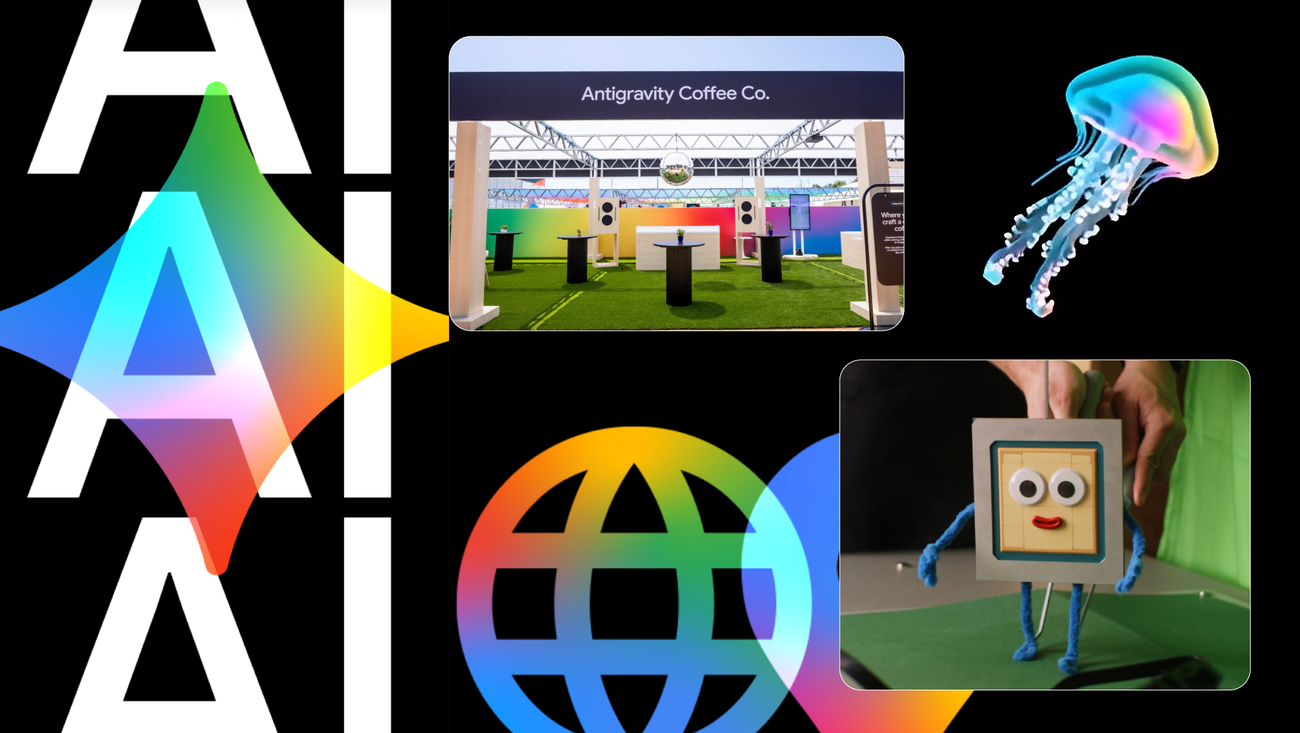
Google’s most useful AI case study from I/O 2026 is not the keynote demo. It is the production diary.
That sounds backwards, because the diary is dressed as event marketing: Google explaining how it used Gemini and other AI tools to help make the conference itself. But buried inside the brand polish is something practitioners rarely get from AI vendor posts: the actual workflow seams. Not magic. Not “one prompt built the conference.” A messy chain of source material, generated assets, custom tooling, conventional engineering, human taste, and production infrastructure.
That is the part worth paying attention to. The industry keeps talking about vibe coding as if it is a binary: either prompt-to-app is the future, or it is a toy for executives who do not have to maintain the code. Google’s I/O post makes a better argument: AI-assisted production becomes useful when teams build harnesses around generated work.
The demo was not the product. The harness was.
Google says I/O 2026 used Gemini and adjacent Google AI tools across film, visual identity, interactive experiences, music, games, latte ordering, speaker graphics, and attendee stickers. The tool list is the expected alphabet soup: Gemini, Google AI Studio, Antigravity, Gemini Omni, Nano Banana, Lyria, Flutter, Firebase, Cloud Functions, Firestore, Cloud Ops, Veo, Flow, and the Gemini API.
The more interesting list is the production pattern behind those tools.
For the “TPU Training Day” short film, Google worked with director Laurie Rowan and Nexus Studios. The team did not ask a model to invent the whole piece from vapor. They captured puppet performances and simple 3D animation first, used Nano Banana to generate stylized first frames, built a custom tool inside Google AI Studio to test frames at scale, and then merged base animation with stylized frames using Gemini Omni and other experimental models.
That is not replacement. That is augmentation with control surfaces.
The same pattern shows up in the I/O visual identity. Google fed Gemini models past brand guidelines and five years of I/O recaps, ran micro-experiments, iterated generated imagery through Nano Banana, and landed on flat 2D icons that transform into textured 3D icons. Again: constrained inputs, lots of iteration, a human-led selection process, and final execution that still depends on design judgment.
The “Jellectronica” pre-show is even more revealing. Google used a YOLO8 model trained in Google Colab, ran inference on a Google Coral NPU, translated moon jelly movement into music with Google Flow Music and the Lyria API, and used Antigravity to vibe-code a mass stem generator for bass, chords, melody, and drums. That is charming, yes. It is also a reminder that AI production systems quickly become integration systems. Models are only one component; sensors, inference hardware, mappings, generated stems, timing, and playback all have to line up.
Generated assets still need real engineering
The most practitioner-relevant example may be “Infinite Scaler,” the WebGL game. Google used Nano Banana through the Gemini API to generate sprite sheets from prompts and reference images. Then it generated normal, roughness, and emission maps so 2D images could be mapped onto 3D cardboard boxes rendered in WebGL. The team prototyped in AI Studio and moved development into Antigravity.
That is exactly where the vibe-coding conversation should move. The win is not that a model can produce a pretty asset. The win is that a team can turn generated assets into a repeatable pipeline with material maps, rendering constraints, validation, and a handoff path into a real development environment.
Generated media is not automatically production media. It needs consistency checks, naming conventions, safe prompts, review queues, fallbacks, cache behavior, and a way to reproduce or reject outputs. Once generated work enters a game, app, or event installation, it becomes part of a software supply chain. Treat it like one.
The Antigravity Coffee Co. pop-up makes the same point in app form. Google says the experience used Flutter, Gemini Enterprise Agent Platform, Antigravity, Nano Banana, Firebase, Cloud Functions, Firestore, and Cloud Ops. Generative UI and the A2UI protocol replaced static forms with adaptive interfaces. That sounds futuristic until you remember what a coffee-ordering flow still has to do: collect user intent, handle inventory constraints, avoid broken states, respect accessibility, manage latency, and not produce nonsense at the counter.
Generative UI does not remove product requirements. It makes them harder to hide.
What teams should steal from Google’s workflow
The useful takeaway is not “use Google’s stack.” Google would be delighted if that were the conclusion, but it is too narrow. The better takeaway is a workflow pattern that any team can adapt.
First, make the source bundle explicit. Google’s strongest examples start with constrained material: puppetry, brand guidelines, previous I/O recaps, reference images, design goals, or known event mechanics. For engineering teams, that means specs, API docs, acceptance criteria, design references, security constraints, and examples of what not to do. A vague prompt produces a vague artifact. A source-grounded prompt gives reviewers something to measure against.
Second, build validation into the loop. Google’s custom AI Studio frame-testing tool is the quiet star of the post. If an AI system can generate at scale, review also has to scale. That might mean screenshot diffing, lint rules, eval suites, generated-asset classifiers, dependency checks, cost monitors, or preview environments. The point is not to trust the model harder. The point is to create places where model output can fail safely.
Third, move prototypes into real repositories before they become real products. AI Studio is a useful front door. Antigravity is a stronger development handoff. But the principle matters more than the product names: generated work needs version control, code review, secrets management, dependency scanning, tests, observability, rollback, and ownership. If nobody can explain the diff, nobody owns the system.
Fourth, log the agent’s work. Agentic coding without traceability is a debugging tax waiting to be collected. Teams should record what the agent changed, which files it touched, which tools it called, what prompt or task led to the change, what tests ran, and what human approval happened before release. The more autonomous the tool, the more boring the audit trail needs to be.
This is where Google’s post is useful precisely because it is not a clean miracle story. A mass stem generator in Antigravity is fun until it becomes a recurring pipeline. A generated WebGL level is fun until prompts create broken assets or runaway costs. A latte app with adaptive UI is fun until it touches payment, customer data, or accessibility requirements. The controls are not paperwork after the fact. They are part of the product.
There is a competitive read here too. Google is lining up AI Studio as the accessible front door, Antigravity as the agentic development environment, Gemini 3.5 Flash as the fast execution model, and Firebase/Google Cloud as the deployment substrate. That is a tight funnel from idea to prototype to production. Builders should appreciate the reduced friction and remain allergic to invisible lock-in. Steal the workflow. Keep your review bar.
LGTM’s take: Google’s I/O production diary is a better vibe-coding case study than the stage demos because it shows the boring parts. Vibe coding becomes real when teams surround generated work with reference inputs, validation tools, human review, observability, and production handoff. Everything else is just a prettier way to create a mess.
Sources: Google, Google AI Studio I/O 2026 announcement, Google developer highlights, Gemini 3.5 notes